
A practical, experience-based guide to understanding why motors fail and how to make them last
For many beginners, drone motors feel like consumable parts. When one fails, the usual assumption is that it was either defective or simply “worn out.” In reality, most early motor failures are neither random nor unavoidable. They are the direct consequence of a small number of recurring beginner mistakes that damage drone motors long before the pilot realizes something is wrong.
What makes motor damage particularly frustrating is that it often develops silently. A drone may fly well for several packs, sometimes even weeks, before one motor suddenly overheats, desyncs, or stops completely. By the time the failure becomes obvious, the real cause is already in the past, hidden somewhere in the build process, configuration choices, or early flying habits.
Understanding how and why motors fail early is one of the most important steps in moving from “beginner” to “competent builder.” It is also one of the easiest ways to save money, reduce downtime, and avoid chasing problems that appear electrical or firmware-related but are actually mechanical in origin.
Why Drone Motors Fail Early?
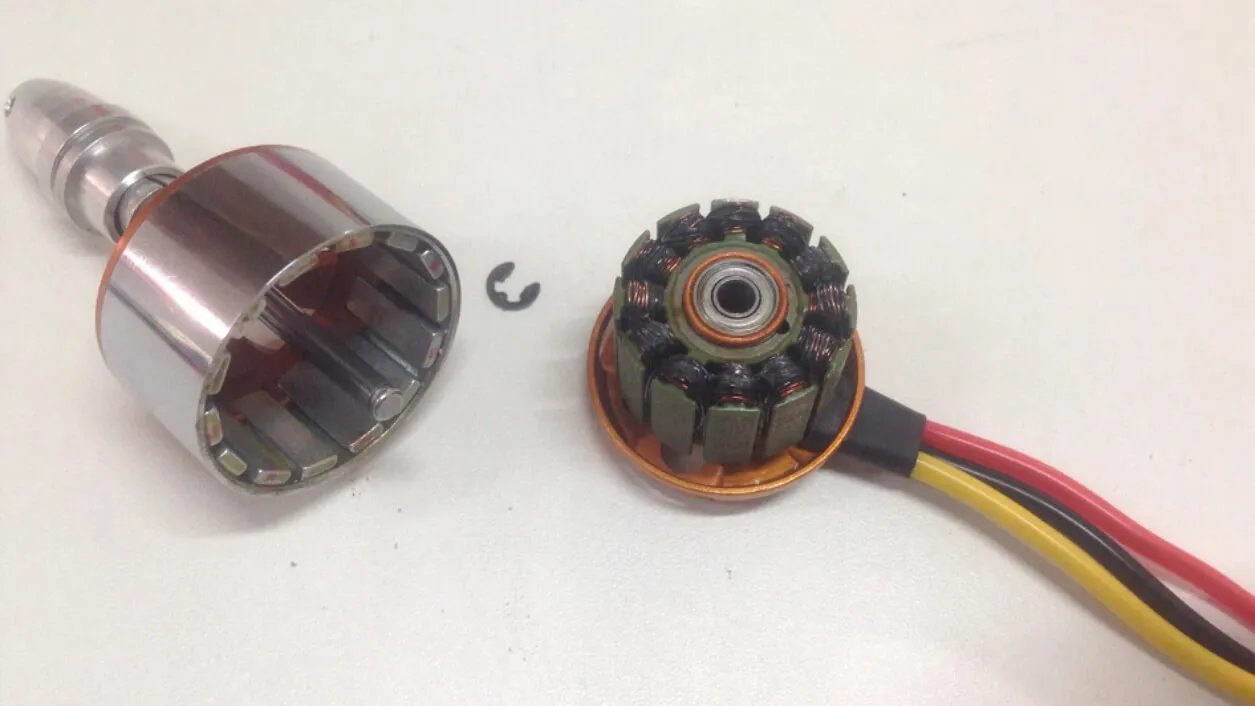
Brushless drone motors operate under conditions that are extreme compared to most electric motors. They spin at very high rotational speeds, experience constant acceleration and deceleration, and are rigidly mounted to lightweight frames that transmit vibration directly into their structure. At the same time, they rely almost entirely on airflow for cooling and are exposed to dust, moisture, and debris.
For a motor to survive in this environment, everything around it must be correct:
- Proper mechanical installation
- Clean electrical connections,
- Correct ESC configuration
- Reasonable flying habits
When one of these factors is wrong, the motor does not usually fail immediately. Instead, damage accumulates slowly until it crosses a threshold.
Most beginner mistakes that damage drone motors fall into one of three broad categories:
- Mechanical stress
- Electrical stress
- Thermal stress
The critical point is that beginners often create all three at once, without realizing it.
If you want to upgrade your FPV motors, check the blog on How to Choose FPV Drone Motor first.

How Drone Motors Actually Fail?
Before looking at specific mistakes, it helps to understand what “motor failure” really means in practice. Motors rarely explode or stop abruptly without warning. Much more often, they degrade.
A motor may lose efficiency because its magnets have partially demagnetized due to heat. It may begin drawing more current because a bearing is damaged or contaminated. The enamel insulation on the windings may degrade, creating partial shorts that only appear under load. In each case, the motor still spins, still arms, and still flies—until it doesn’t.
This gradual nature of failure is why many beginners misdiagnose the problem, replacing ESCs, reflashing firmware, or blaming batteries, while the real issue is a motor that was damaged early on.
Top 10 Beginner Mistakes That Damage Drone Motors
Overtightening Motor Mounting Screws
One of the most common beginner mistakes that damages drone motors happens before the drone ever leaves the bench: tightening the motor mounting screws too much.
This mistake almost always comes from good intentions. Beginners want motors to be secure, especially after hearing stories about screws loosening mid-flight. The natural reaction is to tighten the screws as much as possible, often using more force than necessary.
The problem is that drone motors are extremely compact. Just a few millimeters above the mounting holes are the copper windings and their insulation. If a screw is even slightly too long, or if excessive torque is applied, it can press directly into the windings. This rarely causes an immediate short. Instead, it creates small, invisible damage that worsens over time as the motor heats up and vibrates. Symptoms often appear later as:
- One motor running hotter than others
- Roughness when spinning by hand
- Sudden failure without obvious cause
Correct installation is simple but requires restraint. Screw length should always be verified before mounting, threadlocker should be used instead of brute force, and motors should spin freely after installation. These small checks prevent a surprising number of early motor deaths.
Using Propellers That Overload the Motor
Another very common beginner mistake that damages drone motors is using propellers that are poorly matched to the motor’s size and KV. This often happens when beginners experiment with “upgrades,” assuming that larger or more aggressive props will automatically improve performance.
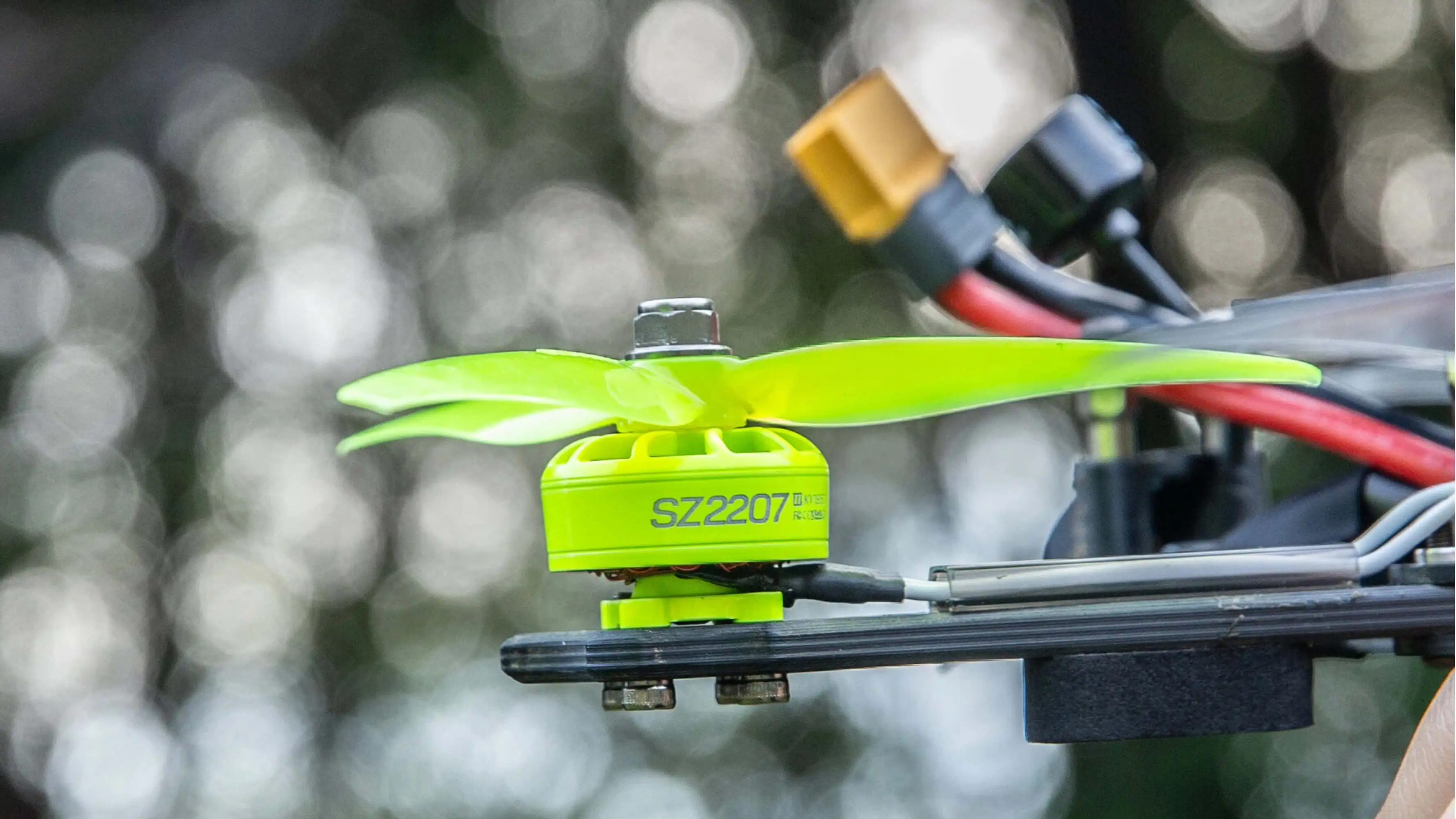
In reality, propellers define the load placed on a motor. A prop with too much diameter or pitch forces the motor to draw significantly more current, especially at mid to high throttle. While modern motors can tolerate brief current spikes, sustained overload generates excessive heat inside the windings.
The dangerous part is that this overheating does not always feel dramatic. Motors may only feel “quite warm” after a flight, especially in cooler weather. Over time, however, repeated overheating degrades insulation and weakens magnets, permanently reducing motor efficiency.
Avoiding this issue requires respecting manufacturer recommendations and paying attention to motor temperature after short test flights. Motors should become warm, not hot, and temperature differences between motors should be minimal.
Poor ESC Calibration and Motor Idle Setup
Many beginners underestimate how closely motors and ESCs work together. A motor does not decide how to spin on its own; it follows the electrical timing dictated by the ESC. If that timing is off, even a perfectly installed motor can be stressed unnecessarily.
Skipping ESC calibration or leaving inappropriate motor idle settings can cause motors to start unevenly, stall at low RPM, or experience brief desyncs under load. Each of these events produces sharp electrical and mechanical stress inside the motor.
Over time, this stress contributes to overheating and winding damage, even if the motor never fully desyncs in flight. Proper calibration and a correctly set motor idle ensure that motors spin smoothly from the moment they arm, reducing unnecessary strain.
Running Motors at High Throttle Without Propellers
Testing motors without propellers is normal, but beginners often take it too far. Spinning motors up to high throttle on the bench without a load allows them to reach RPMs far beyond their normal operating range.
While this may not cause immediate damage, repeated overspeeding stresses bearings and can unbalance the rotor slightly. Once props are reinstalled, these small imbalances translate into vibration, which accelerates wear during flight.
Bench testing should be brief and limited to low throttle. Full-power testing belongs in the air, where the propeller load keeps RPM within safe limits.
Ignoring Vibration During Early Flights
Vibration is often dismissed as “normal” by beginners, especially on FPV drones. While some vibration is inevitable, persistent or asymmetric vibration is a warning sign.
Vibration places continuous side loads on motor bearings and shafts. Even small imbalances, often caused by slightly bent shafts or damaged props, can significantly reduce bearing life. Over time, this leads to increased friction, higher current draw, and excess heat.
Addressing vibration early—by replacing props, checking motor shafts, and ensuring frame rigidity—prevents a cascade of motor-related issues later on.
Poor Soldering and Strain on Motor Wires
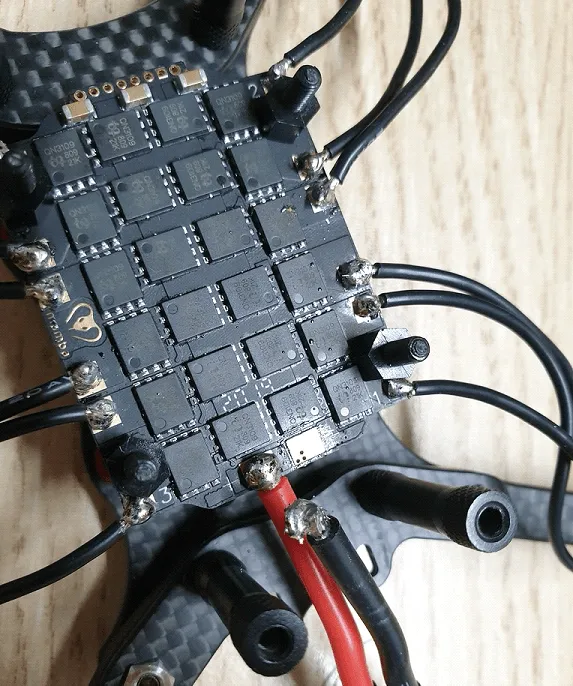
Motor wires are often treated as purely electrical components, but they are also mechanical elements. Poor solder joints increase electrical resistance, creating localized heating that transfers directly into the motor windings. At the same time, unsupported wires can vibrate, stressing solder joints and motor pads.
This combination leads to phase imbalance, where one phase of the motor runs hotter than the others. The motor still spins, but efficiency drops and heat builds unevenly, accelerating internal damage.
Clean solder joints, proper strain relief, and thoughtful wire routing significantly reduce this risk.
Flying in Contaminated Environments
Sand, dust, and metallic debris are especially dangerous for drone motors. The magnetic fields inside a brushless motor actively attract fine metal particles, pulling them into bearings and between moving parts.
Once inside, these particles act as abrasives, damaging bearings and increasing friction. The result is a motor that grows noisier, hotter, and less efficient with each flight.
Avoiding dusty takeoffs, cleaning motors regularly, and being cautious in beach or construction environments can dramatically extend motor life.
Sustained Overheating from Aggressive Flying
High-performance flying is part of the appeal of drones, but sustained full-throttle operation without cooling breaks pushes motors beyond their thermal limits. Even if motors survive individual flights, repeated overheating gradually demagnetizes rotors and degrades insulation.
Thermal damage is cumulative and irreversible. Once a motor loses magnetic strength, it will never fully recover, even if it continues to function.
Managing throttle usage, allowing cooldown periods between packs, and monitoring motor temperature are essential habits for motor longevity.
Improper ESC Firmware and Timing Settings
ESC firmware settings play a subtle but critical role in motor health. Incorrect timing or PWM frequency can cause inefficient commutation, forcing motors to work harder for the same output.
This inefficiency shows up as extra heat, especially at high RPM. While the drone may still fly well, the motors age much faster than expected.
Keeping ESC firmware updated and using recommended settings for the specific motor type ensures smooth electrical operation and reduces internal stress.
Skipping Motor Checks After Crashes
Finally, one of the most overlooked beginner mistakes that damages drone motors is simply re-arming after a crash without inspection. Even light impacts can bend motor shafts slightly or damage bearings.
A motor with a subtly bent shaft may still spin, but it will vibrate under load, accelerating wear. Catching this early by spinning motors by hand and listening for roughness can prevent more serious failures later.
Diagnosing Motor Damage Before Failure
Early motor damage often reveals itself through small clues:
- One motor is consistently hotter
- Changes in sound
- Reduced flight efficiency
- New vibration
Paying attention to these signs allows pilots to replace or service motors before they fail mid-flight.
Regular manual inspection, temperature comparison, and telemetry analysis are simple but powerful diagnostic tools.
Best Practices to Protect Your Drone Motors
Protecting your FPV drone motors isn’t about babying your quad—it’s about building smart habits that prevent avoidable damage and expensive drone motor repair. The practices below come directly from real-world FPV flying and racing experience.
Use the Right Props for Your Motors
Always match prop size and pitch to your motor’s KV and stator size. Over-propping is one of the fastest ways beginners damage drone motors.
- Follow the motor manufacturer’s recommended prop range
- Start with lower pitch props when testing new motors
- Check motor temperature after short test flights
If motors are hot to the touch, the setup is wrong. Check the blog to learn how to properly attach props to motors.
Verify Motor Screw Length Every Build
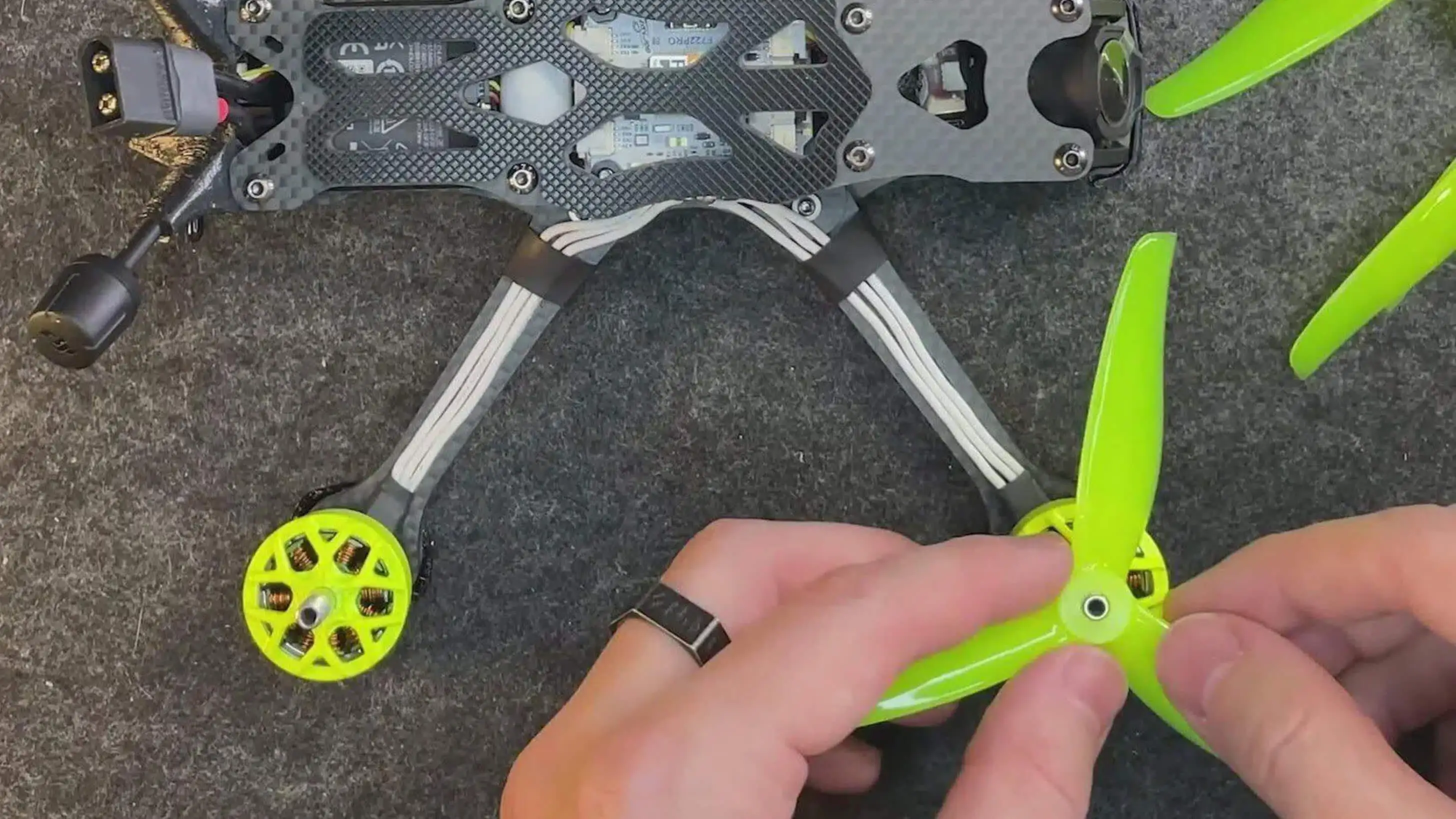
Motor damage often starts during installation, not flight.
- Test screw depth before mounting motors
- Screws must never touch motor windings
- Use threadlocker instead of over-tightening
- Spin motors by hand after mounting—any resistance is a red flag
This single habit prevents silent, irreversible FPV drone motor damage.
Tune ESC and Betaflight Settings Correctly
Poor ESC configuration creates unnecessary electrical and thermal stress.
- Use updated ESC firmware
- Apply recommended motor timing and PWM frequency
- Set proper motor idle values to avoid stalling
- Avoid aggressive settings until the quad is proven stable
Smooth commutation = cooler, longer-lasting drone motors.
Avoid High-Throttle Bench Testing Without Props
Running motors at high throttle without a prop load can overspeed bearings and unbalance the rotor.
- Bench test only at low throttle
- Never punch the throttle without props installed
- Save full-power testing for flight
This protects bearings and reduces long-term vibration damage.
Monitor Motor Temperature and Sound Regularly
Motors usually warn you before they fail.
- Compare motor temperatures after every flight
- Listen for changes in sound or roughness
- Investigate immediately if one motor runs hotter
Early detection reduces the need for drone motor repair or replacement.
Clean Motors After Dirty or Wet Flights
FPV drone motors attract debris, especially metallic dust and sand.
- Avoid dusty takeoff areas when possible
- Clean motors with compressed air or alcohol
- Re-lubricate bearings lightly if exposed to water
Clean motors run cooler and last significantly longer. Check the blog to learn How to Clean Drone Motors.
Inspect Motors After Every Crash
Even light crashes can bend shafts or damage bearings.
- Spin motors by hand after crashes
- Check for vibration or scraping sounds
- Replace bent shafts or bearings early
Flying damaged motors accelerate failure across the entire power system.
Manage Heat During Aggressive Flying
Sustained full-throttle flying without a cooldown kills motors slowly.
- Allow motors to cool between packs
- Avoid continuous max-throttle runs
- Use airflow-friendly frames and layouts
Heat damage is cumulative—and permanent.
Conclusions
Burnt drone motors are rarely caused by a single dramatic mistake. Most failures are the result of small beginner mistakes that damage drone motors over time—poor soldering, excessive heat, incorrect props, vibration, or mechanical pressure during assembly.
Drone motors don’t fail without warning. Learning to recognize and prevent these early signs is the key to reliability, safety, and long motor lifespan.
Author:crawar_fpv
Instagram: https://www.instagram.com/crawar_fpv/
Editor: Kunkun