
Choosing the best FPV goggles in 2026 mainly comes down to one key decision: digital vs analog FPV systems. Each has its own strengths, weaknesses, and ideal use cases. Your final choice should be based on your budget, flying style (freestyle, racing, cinematic), latency requirements, and upgrade plans. If you want to buy FPV Goggles, click here.
Digital vs Analog FPV Goggles: Key Differences
When it comes to FPV systems, there are two basic types to choose from: digital and analog FPV systems.
Digital FPV Systems
Digital FPV systems transmit video using digital signals, offering higher resolution, better colors, and improved clarity.
Key Features:
- HD video transmission
- Stable image quality
- Advanced features like onboard recording and OSD overlays
Popular Digital FPV Brands: DJI, HDZero, Fat Shark, Skyzone, CaddxFPV, Orqa. Among them, DJI FPV Goggles provide high-definition video transmission with relatively low latency for cinematic and freestyle flying, can support digital HD video transmission, and have better image stability and a range of advanced features, but the price is higher.
Analog FPV Systems
Analog FPV systems use traditional analog signals. While image quality is lower, they excel in ultra-low latency, affordability, and reliability.
Key Features:
- Near-zero latency
- Strong resistance to interference
- Lower cost and easy maintenance
- Analog systems remain a top choice for FPV racing pilots and beginners on a budget.
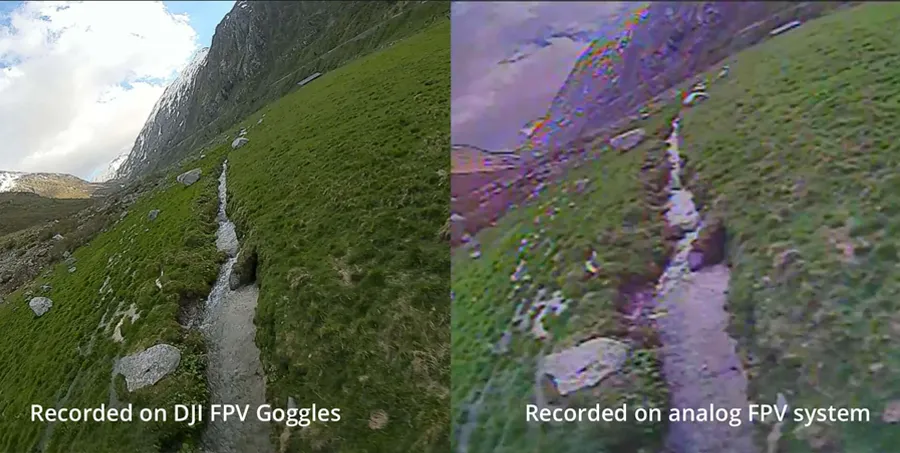
Comparative Overview
| Feature | Digital FPV Goggles | Analog FPV Goggles |
| Image Quality | HD, sharp, vibrant colors | SD, softer image, visible scan lines |
| Resolution | Up to 1080p / 1440p | Typically 480p – 600TVL |
| Latency | Low to Medium (14ms – 40ms) | Ultra-low (≈5ms – 10ms) |
| Signal Behavior | Clear image until it drops/freezes | Gradual static noise (more warning to turn back) |
| Best Use Case | Cinematic, freestyle, commercial filming | Racing, micro tiny whoops, extreme budget builds |
The Top Digital FPV Goggles Ecosystems
DJI FPV Goggles (The Cinematic King)
DJI remains the gold standard for high-bitrate, crystal-clear digital video transmission. Their current lineup delivers unmatched cinematic immersion and incredible signal penetration.
- Top Models: DJI Goggles 3, DJI Goggles 2, and DJI Goggles Integra.
- Pros: Unmatched 1080p image clarity, excellent range,rock-solid penetration through concrete and trees, and head tracking.
- Cons: Closed ecosystem that primarily supports DJI video transmitters and DJI-compatible aircraft, and premium pricing.
Pro Builder Tip: If you choose the DJI O3 Air Unit system, ensure your drone’s stack can handle the clean power requirements. Pair it seamlessly with a ultra-low noise flight controller like the MEPS F7 HD Flight Controller to guarantee an interference-free HD feed.
DJI O4 FPV System in 2026
The DJI O4 system represents the latest evolution of DJI digital FPV technology in 2026. Compared to the older O3 platform, O4 offers improved low-light image quality, stronger signal penetration, lower transmission latency, and higher video bitrate performance for cinematic flying.
Pilots flying freestyle, long-range mountain cruising, or commercial cinematic FPV builds will especially benefit from the smoother image retention and improved onboard stabilization. Combined with DJI Goggles 3, the O4 ecosystem currently delivers one of the most immersive FPV experiences available.
HDZero (The Racing Standard)
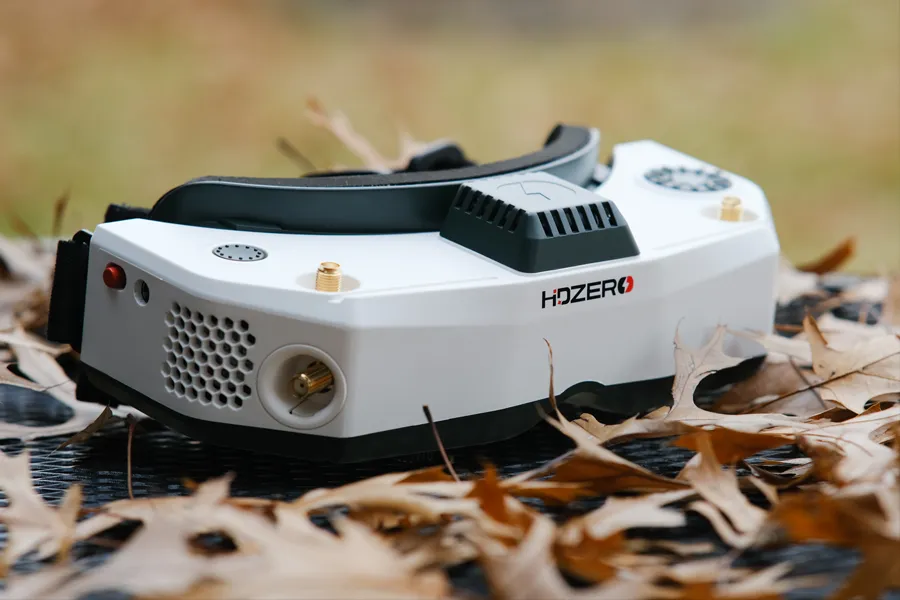
HDZero focuses strictly on fixed, uncompromised low latency. It is a digital system built specifically with the competitive racer and hardcore freestyle pilot in mind.
- Top Models: HDZero FPV Goggles, HDZero Box Pro.
- Pros: Fixed 14ms digital latency (zero variable lag), open-source firmware, and outstanding native analog support via modular expansion bays.
- Cons: Lower image bitrate and resolution compared to DJI; Signal degradation appears as blocky digital artifacts and sparkling noise instead of smooth analog static.
Walksnail Avatar / Fat Shark (The All-Rounder Digital Hub)
Developed by Caddx, the Walksnail Avatar system bridges the gap between DJI’s HD quality and an open-source, flexible architecture.
- Top Models: Walksnail Goggles X, Fat Shark Dominator HDO+.
- Pros: Native 1080p OLED screens, user-replaceable receiver modules, HDMI input/output, and ultra-lightweight VTX options tailored for micro indoor whoops.
- Cons: Goggles can run hot during prolonged bench testing; slightly less obstacle penetration than DJI.
FPV Goggles Buying Tips for Beginners
- Latency Matters Most: Latency affects your reflexes and control accuracy. For tight racing tracks or precise tree proximity freestyle, look for systems keeping latency under 20ms (like Analog or HDZero). For cinematic cruising, DJI’s variable 30-40ms latency is perfectly acceptable.
- IPD and Diopter Adjustments: Interpupillary Distance (IPD) ensures the screens align perfectly with your eyes. If you wear prescription glasses, look for premium slimline goggles (like the Skyzone SKY04X or Walksnail Goggles X) that feature built-in diopter focus wheels (+2.0 to -6.0) so you can fly comfortably without your glasses.
- Antenna Upgrades: Stock antennas included with goggles are usually low-gain omnidirectional variants. Upgrading your goggles with a high-quality directional patch antenna pointing forward will instantly double your reliable flight range.
FPV goggles brand recommendations
- Fat Shark: The historic industry leader. Models like the Dominator HDO2 offer premium comfort, great reliability, and highly modular slots, though they sit at a higher price bracket.
- Skyzone: Renowned for offering feature-packed mid-to-high-end goggles. The Skyzone SKY04X pro features an incredible 1920×1080 OLED screen, built-in SteadyView receiver, DVR, adjustable focus, and IPD for immersive drone racing and RC flying.
- Orqa: Orqa remains one of the most respected premium analog FPV goggle brands among experienced pilots. The Orqa FPV.One Pilot series is known for excellent optics, comfortable ergonomics, low display latency, and strong modular expandability. While more expensive than most analog goggles, Orqa is still considered a benchmark choice for serious analog FPV enthusiasts.
- Eachine: The go-to brand for pure budget entry. The Eachine EV800DM is an affordable box goggle offering an excellent 82-degree Field of View (FOV) at a fraction of the cost of slimline goggles.
Unlock Smooth FPV Video Performance: Digital and premium analog video transmitters are highly sensitive to electrical voltage noise generated by your drone’s powertrain. To completely eliminate video lines, diagonal noise interference, or mid-air frame drops, pair your build with high-efficiency, dynamically balanced MEPS Brushless Motors for the cleanest electrical system and most stable flight performance.
HDZero vs DJI Digital FPV Goggles
HDzero Pros:
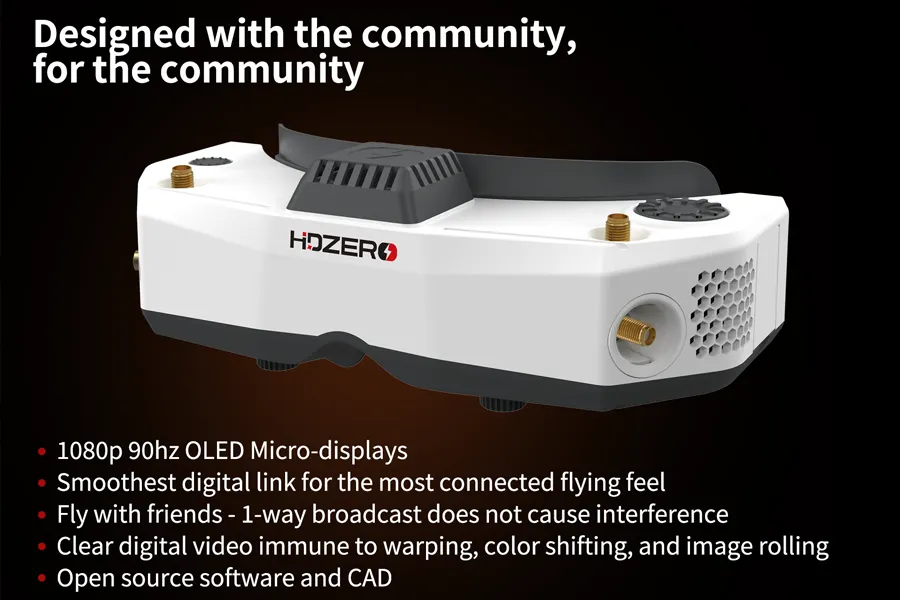
- Fixed, Ultra-Low Latency: Unlike other digital systems, HDZero’s transmission does not use heavy H.265 video compression. This allows it to achieve a locked-in, sub-14ms glass-to-glass latency with absolutely zero jitter—making it the ultimate choice for drone racing.
- High-Resolution OLED Screens: The flagship HDZero goggles feature premium 1920x1080p 90Hz OLED micro-displays, offering crystal-clear picture quality and true blacks.
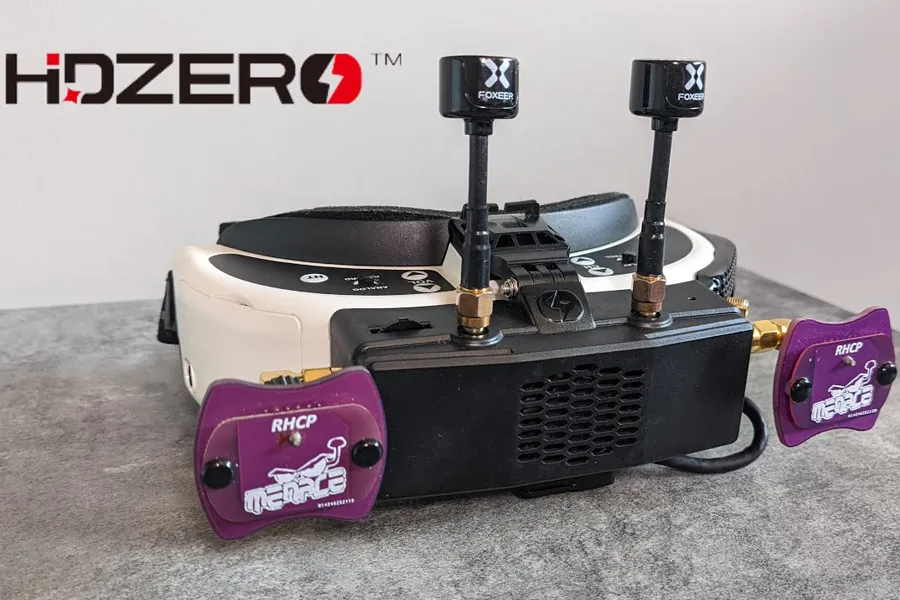
- Unrivaled Analog Compatibility: HDZero was built to natively support analog signals via an expansion module bay. It even features a built-in real-time deinterlacer that significantly improves the look of traditional analog video.
- Open Source & Flexible: The firmware is community-driven, offering various flight modes, advanced OSD (On-Screen Display) telemetry, and extensive customization options.
HDzero Cons:
- Signal Penetration: Because the video is uncompressed, flying behind dense concrete will cause sparkling “static” pixels rather than the smooth, blended image retention seen in DJI systems.
- Premium Pricing: Building a full HDZero OLED ecosystem is a significant investment.
Recommended Model: HDZero Goggles (Flagship OLED) or the newer HDZero BoxPro (Budget-friendly LCD option). (Note: HDZero goggles natively support HDZero and analog systems, while HDMI input allows compatibility with external receivers.)
DJI Digital Goggles Pros:
- Unmatched Image Quality: Utilizing H.265 encoding and the powerful DJI O3 Air Unit, DJI delivers breathtaking 1080p 100fps video with incredible color reproduction, dynamic range, and image retention.
- Incredible Signal Penetration: DJI’s transmission handles obstacles, trees, and buildings exceptionally well, maintaining a clear cinematic image until the absolute limit of the signal.
- Advanced Features: Includes built-in head tracking (control the camera’s direction by rotating your head), high-quality onboard DVR recording, and easy automatic channel scanning.
- Seamless Ecosystem: Works perfectly out-of-the-box with DJI digital FPV systems, requiring very little technical setup.
DJI Digital Goggles Cons:
- Closed Ecosystem: DJI goggles only support DJI VTX units (like the O3 Air Unit). They are completely incompatible with Walksnail, HDZero, or other digital brands.
- No Analog Support: Modern DJI goggles cannot be used with traditional analog FPV systems.
- Variable Latency: Because DJI uses heavy video compression, the latency fluctuates (usually between 25ms and 40ms) when the signal drops, which can throw off highly competitive racers.
Recommended models:
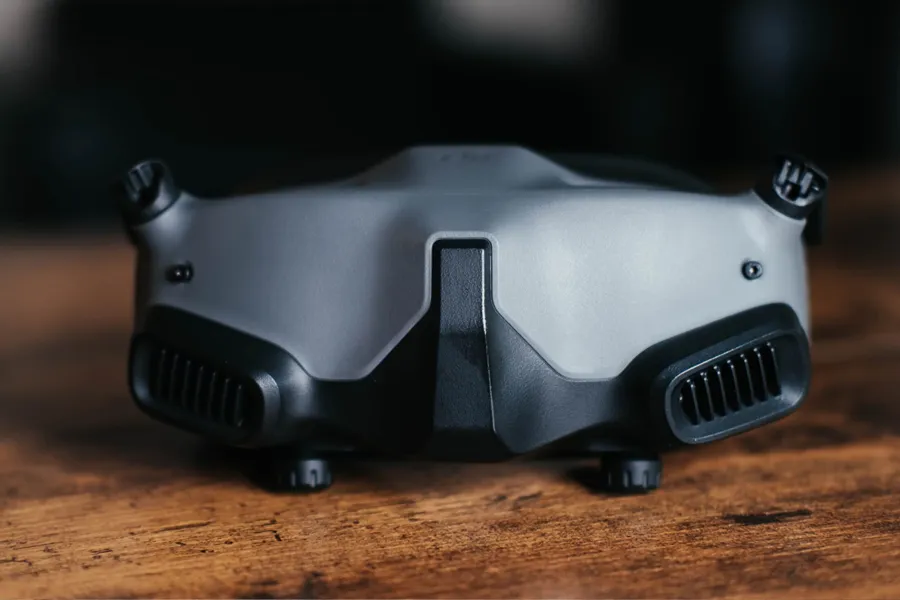
DJI Goggles 3 or DJI Goggles 2. Both feature stunning 1920×1080 Micro-OLED screens, low latency, and provide a breathtaking cinematic experience. (Note: DJI FPV Goggles V2 are older-generation goggles and are gradually being replaced by newer Goggles 2 and Goggles 3 models.)
Summary: Which should you choose?
If you are flying a DJI O3 digital FPV system for cinematic freestyle or commercial videography, DJI Digital Goggles are the undisputed king. However, if you are a hardcore racer, fly a mix of digital and analog micro drones, or simply demand zero-variable latency, HDZero is the superior choice.
| Feature | HDZero Goggles | DJI Goggles 3 / Goggles 2 |
|---|---|---|
| Video System | HDZero Digital | DJI O3 / O4 Digital |
| Max Display Resolution | 1920×1080 (OLED) | 1920×1080 (OLED) |
| Transmission Latency | Fixed, Ultra-low (sub-14ms) | Variable, Low-Medium (25–40ms) |
| Analog Support | Yes (via expansion module) | No |
| Racing Friendly | ⭐⭐⭐⭐⭐ | ⭐⭐⭐ |
| Cinematic Flying | ⭐⭐⭐ | ⭐⭐⭐⭐⭐ |
| Ecosystem Lock-in | Low (Open Source) | High (DJI only) |
FAQ: Best FPV Goggles in 2026
Q1: What are the best FPV goggles for beginners?
For beginners on a strict budget, analog box goggles like the EMAX Transporter 2 or Eachine EV800DM are highly recommended to lower entry costs. If you want to jump straight into digital HD, the DJI Goggles Integra or Walksnail Goggles X offer the best future-proof value.
Q2: Are digital FPV goggles better than analog?
Digital FPV goggles are superior in terms of resolution, color fidelity, and overall visual immersion. However, analog goggles are still preferred by competitive drone racers due to their near-zero latency and cheaper, lighter onboard components.
Q3: Which FPV goggles have the lowest latency?
Traditional analog setups offer the lowest overall latency (under 10ms). Among digital HD options, HDZero holds the crown with a fixed, uncompromised 14ms latency link.
Q4: Can modern DJI FPV goggles be used with analog drones?
No. Current-generation DJI digital goggles (DJI Goggles 2, Goggles 3, and Goggles Integra) do not feature analog AV-input ports and are entirely incompatible with analog video transmitters. If you want a digital goggle that can also fly analog drones, look at the HDZero Goggles or Walksnail Goggles X.
Final Verdict: Which FPV Goggles Should You Choose?
- Choose DJI Goggles if you want the absolute highest-fidelity cinematic experience, stable long-range performance, and intend to use the DJI O3/O4 Air Unit systems.
- Choose Walksnail/Fat Shark if you want a flexible HD ecosystem that scales easily from tiny indoor micro drones to big 7-inch long-range builds.
- Choose HDZero if you focus primarily on competitive track racing, high-speed bando freestyle, and require fixed low latency.
- Choose Analog Goggles if you are a beginner looking to minimize initial costs, or fly ultra-light weight micro racing quads.
No matter your choice, the best FPV goggles are the ones that match your flying style, budget, and long-term upgrade plans.