
What Is DShot?
If you’ve ever set up a quad in Betaflight, you’ve probably seen options like DShot300, DShot600, or DShot1200 in the ESC protocol dropdown. But what is DShot, really — and why does almost every modern FPV drone use it?
Dshot (Digital shot) is a digital protocol for Flight-Controller(FC)-to-Electronic-Speed-Controller(ESC) communication used in unmanned aerial vehicle (UAV) applications, including FPV drones.


What Does DShot Stand For?
DShot stands for “Digital Shot.”
It’s a digital ESC communication protocol that sends throttle signals from your flight controller (FC) to your electronic speed controllers (ESCs).
Before DShot, ESC protocols like PWM, OneShot125, and MultiShot were analog-based. That meant the throttle signal depended on pulse timing — and required calibration.
DShot changed the game by switching to a fully digital signal, which brings:
- No throttle calibration required
- Higher signal accuracy
- Built-in error checking
- Support for advanced features like bidirectional DShot and RPM filtering
In short:
DShot is a digital throttle protocol that allows your flight controller to communicate with your ESCs more precisely and reliably.
How DShot Works (Simple Explanation)
Instead of sending a variable pulse width like older protocols, DShot sends digital data packets.
Each throttle command is encoded as binary data and transmitted at a fixed speed. The ESC reads that packet and instantly knows exactly what throttle value to apply.
Here’s what makes the DShot protocol different:
Digital Signal (Not Analog)
Older systems measured the length of a pulse.
DShot sends an actual digital number representing throttle.
This eliminates signal drift and calibration issues.
Error Detection Built In
Every DShot packet includes a checksum.
If the ESC detects corrupted data (from electrical noise, for example), it ignores the signal instead of applying incorrect throttle.
That’s a huge reliability upgrade — especially in high-noise 6S builds.
Fixed Transmission Speed
DShot runs at specific speeds:
- DShot150
- DShot300
- DShot600
- DShot1200
The number refers to the data rate (kilobits per second).
Higher numbers mean faster data transmission — but not necessarily better flight performance (we’ll explain that later in the article).
Why DShot Replaced PWM, OneShot and Multishot
As a pilot who flew both analog protocols and DShot, I can tell you the difference wasn’t hype — it was practical.
Here’s what improved immediately:
No ESC Calibration
With PWM, you had to calibrate throttle endpoints.
With DShot, calibration is unnecessary.
Plug in, set protocol, and fly.
More Reliable Signal
Analog signals could drift or misinterpret timing due to electrical noise.
Digital packets either arrive correctly — or they don’t get applied.
That’s safer.
Advanced Features
DShot enables:
- Bidirectional DShot
- RPM filtering
- ESC telemetry
- Digital commands (beep, reverse motor, etc.)
Without DShot, modern Betaflight filtering wouldn’t even be possible.
DShot vs Older ESC Protocols
Before DShot became the standard, FPV drones relied on analog ESC protocols like PWM, OneShot125, and MultiShot.
Each generation tried to reduce latency and improve throttle response — but they all shared one limitation: They were analog timing-based signals.
See the full protocols: FPV ESC Protocol Guide: Understanding ESC Communication Protocols for FPV Drones
DShot changed that by moving to a fully digital ESC protocol.
Let’s compare them side by side.
DShot vs PWM
PWM (Pulse Width Modulation) was the original ESC protocol used in early RC aircraft and multirotors.
How PWM Works?
PWM sends throttle commands by varying the length of a pulse:
- Longer pulse = more throttle
- Shorter pulse = less throttle
It typically runs at around 400Hz, meaning the ESC receives updates 400 times per second.
Why PWM Is Outdated for FPV?
From an FPV racing or freestyle perspective, PWM has several limitations:
- Requires manual ESC calibration
- Higher latency compared to modern protocols
- Susceptible to timing errors and signal drift
- No digital error checking
- No support for bidirectional communication
PWM works fine for slow camera drones or fixed-wing aircraft. But for aggressive FPV drone flying, it feels sluggish and outdated.
Verdict
DShot completely replaces PWM in modern FPV builds. There is no reason to use PWM today unless you’re working with very old hardware.
DShot vs OneShot125
OneShot125 was the first real upgrade from PWM for FPV.
What OneShot125 Improved?
- Reduced pulse width timing
- Faster signal update rate (~2kHz effective)
- Lower latency than PWM
It was a big step forward in the early racing days.
But It’s Still Analog
Despite being faster, OneShot125 still:
- Relies on pulse timing
- Requires ESC calibration
- Lacks error detection
- Cannot support ESC telemetry
- Cannot support RPM filtering
As builds became more powerful (4S → 6S), signal noise increased — and analog timing protocols became less reliable.
Verdict
OneShot125 was great in its time. But compared to DShot, it’s outdated.
DShot vs MultiShot
MultiShot pushed analog protocols even further.
What MultiShot Did?
- Even shorter pulse timing
- Very high update rate (~5–32kHz depending on setup)
- Extremely low latency for its time
For early racing pilots, MultiShot felt very responsive.
The Hidden Problem
MultiShot pushed analog timing to its limit. That created:
- Higher CPU load
- Increased risk of signal errors
- More sensitivity to electrical noise
- Greater tuning instability
At high RPM and voltage, the lack of digital error correction became a real issue.
Why DShot Won?
DShot offered:
- Comparable or better responsiveness
- Zero calibration
- Digital checksum protection
- ESC commands (beep, reverse, etc.)
- Bidirectional communication
Once bidirectional DShot enabled RPM filtering in Betaflight, the competition was effectively over.
Quick Comparison Table
| Protocol | Signal Type | Calibration Required | Error Detection | Telemetry Support | Recommended Today |
| PWM | Analog | Yes | No | No | ❌ No |
| OneShot125 | Analog | Yes | No | No | ❌ No |
| MultiShot | Analog | Yes | No | No | ❌ No |
| DShot | Digital | No | Yes | Yes | ✅ Yes |
Is DShot Always Better?
Yes — for almost all modern FPV drones.
But let’s be realistic.
When DShot Is Clearly Better
- Racing builds
- Freestyle builds
- 6S setups
- Any quad using Betaflight RPM filtering
- Any build using BLHeli_32 or Bluejay firmware
Modern FPV firmware is designed around DShot.
When It Might Not Matter
If you’re flying:
- A slow camera drone
- An old F3 flight controller
- Very low CPU hardware
- A fixed-wing plane
You may not notice a practical difference between DShot and older protocols.
Also:
Running DShot faster than your gyro loop (for example DShot600 on a 3.2kHz gyro) provides no real-world benefit, and just increases CPU load.
Even the Betaflight developers limit DShot speed to match the PID loop frequency.
And remember:
- Motors physically take 10–30 milliseconds to change RPM.
- The difference between DShot300 and DShot600 is measured in fractions of a millisecond.
For most pilots, that’s not noticeable.
My Perspective
As an FPV pilot, here’s how I think about it:
- If I’m building anything modern → I use DShot
- If I’m on F4 hardware → DShot300
- If I’m on strong F7 hardware → DShot600
- If I want RPM filtering → Bidirectional DShot ON
Simple. No calibration headaches. No signal weirdness. Clean, reliable throttle control.
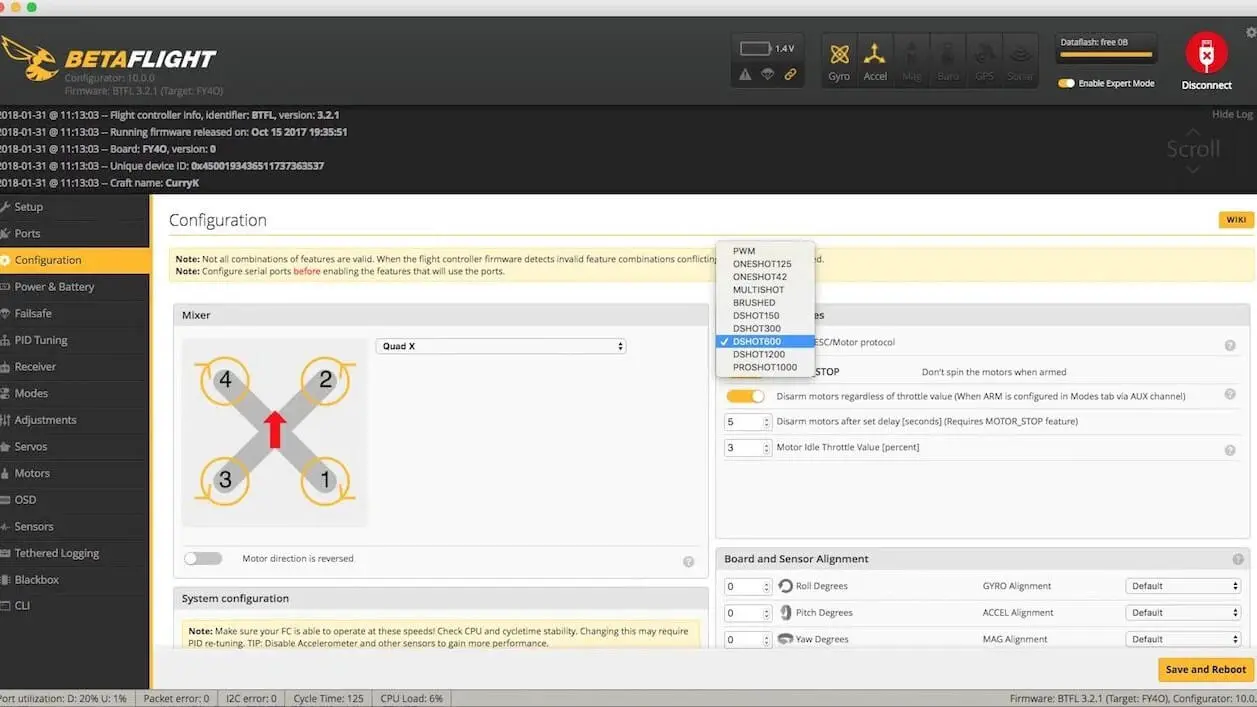
Understanding DShot Speeds (DShot150, 300, 600, 1200)
When you open Betaflight and see DShot150, DShot300, DShot600, and DShot1200, it’s easy to assume that higher must be better.
But DShot speed is not about motor power. It’s about how fast throttle data is transmitted from the flight controller to the ESC.
To choose the right setting, you need to understand what those numbers actually represent — and how they interact with your gyro loop, PID loop, and hardware limits.
What Do the Numbers Mean?
The number in DShot refers to the data transmission rate in kilobits per second (kbit/s).
- DShot150 → 150 kbit/s
- DShot300 → 300 kbit/s
- DShot600 → 600 kbit/s
- DShot1200 → 1200 kbit/s
Higher numbers mean faster digital communication between the FC and ESC.
Here’s what that means in practice:
| Protocol | Data Rate | Approx Signal Time per Command |
| DShot150 | 150 kbit/s | ~6.67 µs per bit |
| DShot300 | 300 kbit/s | ~3.33 µs per bit |
| DShot600 | 600 kbit/s | ~1.67 µs per bit |
| DShot1200 | 1200 kbit/s | ~0.83 µs per bit |
Each throttle command consists of a fixed-length digital packet, so faster DShot means the packet is delivered in less time.
However — and this is critical —
Faster signal transmission does not automatically mean faster motor response.
That’s because motor response is limited by physics, not just digital communication speed.
- Your motor has mass.
- Your propeller has inertia.
- Air has resistance.
Even if you could send throttle data instantly, the motor still needs time to physically change RPM.
That’s why understanding DShot speeds requires looking beyond the numbers.
DShot300 vs DShot600 – Does It Matter?
This is one of the most common FPV questions: Should I run DShot300 or DShot600?
Let’s break it down properly — not based on hype, but on how flight controllers actually work.
Gyro Loop Frequency
Your gyro loop determines how often the flight controller reads motion data.
Common Betaflight settings:
- 4kHz gyro loop
- 8kHz gyro loop
If your gyro runs at 4kHz, that means the FC processes motion data every 0.25 milliseconds.
There is no benefit in sending motor updates faster than your control loop can process them.
If your loop runs at 4kHz, using extremely fast DShot doesn’t magically improve response — because the FC isn’t calculating corrections any faster.
PID Loop Timing
The PID loop calculates how much motor adjustment is needed to maintain stability.
If PID runs at 4kHz:
- The FC updates motor commands 4,000 times per second.
DShot speed must be able to transmit those commands fast enough — but once that threshold is met, going faster offers diminishing returns.
For most 4kHz and 8kHz builds:
- DShot300 already transmits fast enough to keep up.
ESC Update Timing
Modern ESCs (BLHeli_32, Bluejay) process throttle commands extremely quickly.
However, ESC internal switching frequency and motor inductance limit how quickly the motor can actually react.
Even if DShot600 transmits faster than DShot300:
The ESC and motor cannot physically respond in microseconds.
We’re talking about millisecond-scale motor acceleration.
Processor Load
This is where higher DShot speeds can actually hurt performance.
Faster DShot:
- Increases CPU load
- Reduces timing margin
- Increases noise sensitivity
- Can cause instability on weaker F4 boards
On F7 and H7 boards, CPU headroom is usually fine.
But on older hardware, DShot600 may not be worth it.
My Perspective
Here’s the honest truth from years of flying:
In real-world flying, most pilots can’t tell the difference between DShot300 and DShot600.
Even aggressive freestyle pilots rarely notice a measurable difference.
On blackbox logs, the latency difference exists.
In the air? Almost impossible to feel.
If you want to know more about DShot300 vs DShot600, read the guide: DSHOT300 vs DSHOT600, What are the Difference Between Them?
Is DShot300 Fast Enough?
Short answer: Yes. For almost every build.
Let’s explain why.
Motor Physics: The Real Limiting Factor
Electric motors don’t change RPM instantly.
Typical 5” FPV motor spool-up time:
10–30 milliseconds
Now compare that to DShot latency difference:
- DShot300 vs DShot600 difference ≈ 0.3 milliseconds
That’s less than 3% of motor spool-up time.
In other words: Even if DShot600 is technically faster, the motor cannot physically react fast enough for that difference to matter.
Betaflight Developers’ Stance
Betaflight developers have consistently stated:
- DShot300 is sufficient for most builds
- Running faster DShot does not increase performance
- Matching DShot speed to loop timing is more important than maximizing it
Many official Betaflight presets default to DShot300 with bidirectional enabled.
That tells you everything.
Should You Use DShot1200?
Now let’s talk about the “fastest” option.
DShot1200 runs at: 1200 kbit/s
Sounds impressive. But here’s the reality.
CPU Load
DShot1200 significantly increases processor demand.
On F4 boards:
- Not recommended
- Can cause timing instability
On F7:
- Possible
- Rarely beneficial
Noise Sensitivity
Higher signal speeds mean tighter timing windows.
That makes DShot1200:
- More sensitive to electrical noise
- More prone to signal corruption
- Harder to justify on high-voltage 6S builds
Digital protocols are robust — but pushing speed increases vulnerability.
Real Benefit
Does DShot1200 make your quad faster?
No.
Does it improve top speed?
No.
Does it noticeably improve throttle response?
Almost never.
In controlled lab testing, maybe you can measure a microsecond improvement.
In freestyle or racing?
It’s not noticeable.
Practical Recommendation
Here’s what I run:
- F4 board → DShot300
- F7 board → DShot300 or DShot600
- Bidirectional DShot ON
- RPM filtering enabled
I only consider DShot1200 for experimental setups — not everyday builds.
What Is Bidirectional DShot?
If standard DShot changed the game by making ESC communication digital, Bidirectional DShot took it one step further.
Bidirectional DShot allows the ESC to send data back to the flight controller, not just receive throttle commands. That two-way communication is what makes modern features like RPM filtering possible in Betaflight.
In simple terms:
- Regular DShot → Flight Controller ➝ ESC (one-way)
- Bidirectional DShot → Flight Controller ⇄ ESC (two-way)
For serious FPV pilots, especially freestyle and racing builds, this is a major performance upgrade.
How Bidirectional DShot Works?
Here’s what’s happening under the hood:
- The flight controller sends a digital throttle signal to the ESC using DShot.
- The ESC executes the command.
- The ESC immediately sends back motor telemetry data — specifically actual motor RPM.
- The flight controller uses that RPM data in real time to improve filtering and stability.
Because DShot is digital, it can embed telemetry return signals without the signal degradation problems that older analog protocols had.
Important setup notes for FPV pilots:
- Requires compatible ESC firmware (usually BLHeli_32 or Bluejay).
- Must be enabled in Betaflight Configuration → ESC/Motor Features.
- Slightly increases CPU load on the flight controller.
- Usually requires reducing DShot speed (e.g., DShot300 instead of DShot600).
If you’re running a modern F7 or H7 FC, CPU load typically isn’t an issue.
What Is RPM Filtering?
RPM filtering is the real reason Bidirectional DShot matters.
When the ESC reports live motor RPM, Betaflight can:
- Identify the exact frequency of motor noise.
- Apply a dynamic notch filter at that frequency.
- Remove motor-induced vibrations more precisely.
Without RPM filtering:
- Filters are broader and less precise.
- You need more filtering → slightly more latency.
With RPM filtering:
- Filters are tighter and smarter.
- Less noise reaches the gyro.
- You can reduce overall filtering.
- Motors run cooler.
- Flight feels locked-in and cleaner.
As an FPV pilot, you’ll notice:
- Cleaner prop wash handling
- More consistent throttle response
- Less mid-throttle oscillation
- Smoother freestyle lines
For racers, it means sharper tracking through gates.
For freestyle pilots, it means better flow and control.
For cinematic builds, it means smoother footage.
Is Bidirectional DShot Worth It?
Yes — for almost every modern FPV build.
It’s worth enabling if:
- You’re running Betaflight 4.1 or newer
- Your ESC supports BLHeli_32 or Bluejay
- You want cleaner tuning and better motor temps
- You fly freestyle, race, or push aggressive throttle
It may not matter much if:
- You’re flying a very basic beginner build
- Your FC CPU is overloaded (older F4 boards)
- You don’t plan to tune beyond stock presets
From a practical FPV perspective:
Once you fly with properly tuned RPM filtering, it’s hard to go back.
The quad feels more connected. Less noisy. More precise.
And in today’s FPV ecosystem, Bidirectional DShot has basically become the standard — not a luxury feature.
What Hardware Supports DShot?
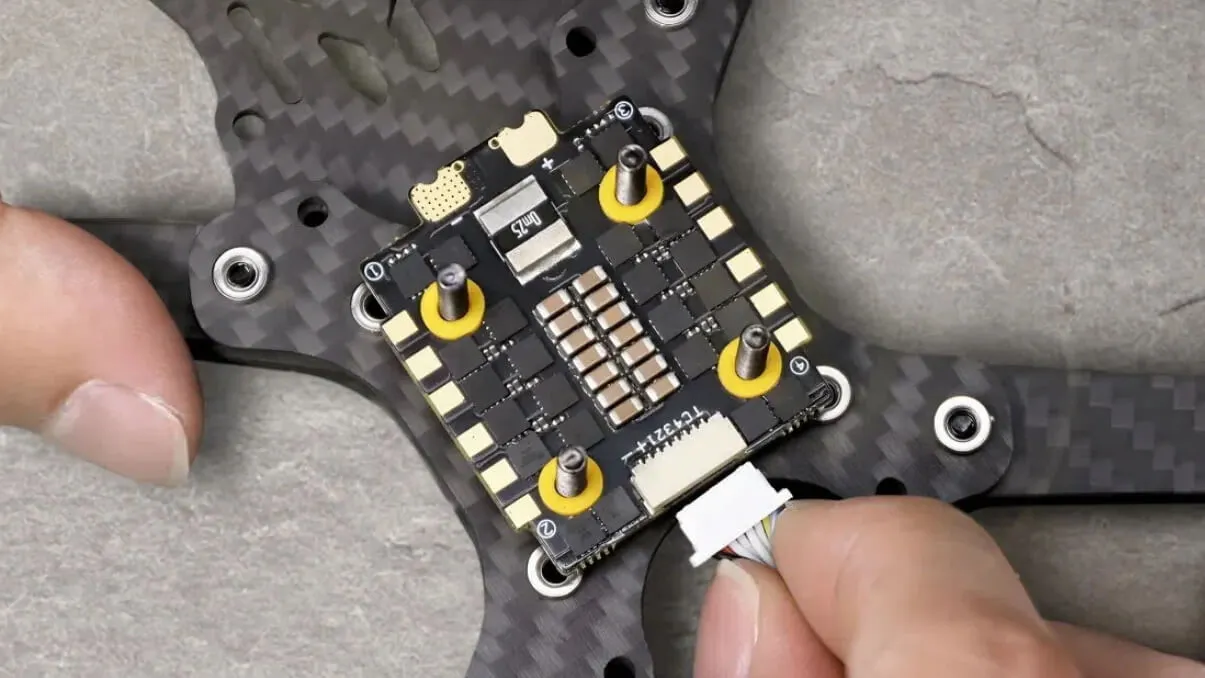
One of the biggest advantages of the DShot protocol is that it’s widely supported across modern FPV hardware. But not all gear supports it — especially older boards.
Here’s what you need to run DShot properly.
Flight Controller (FC)
To use DShot, your flight controller must:
- Support digital ESC protocols
- Run Betaflight, INAV, or similar modern firmware
- Have sufficient CPU headroom
Generally supported FCs:
- F4 (most modern versions)
- F7
- H7
⚠️ Older F1 and F3 boards usually do not support DShot reliably.
If you’re running bidirectional DShot with RPM filtering, F7 or H7 boards are ideal.
F4 works fine for DShot300, but CPU load can increase with higher speeds.
| Flight Controller Type | DShot Support | Bidirectional DShot | Recommended DShot Speed | Notes |
| F1 | ❌ No | ❌ No | — | Too old for DShot |
| F3 | ⚠️ Limited | ❌ No | DShot150 (unstable) | Not recommended in 2026 |
| F4 | ✅ Yes | ✅ Yes | DShot300 | Watch CPU load |
| F7 | ✅ Yes | ✅ Yes | DShot300–600 | Ideal choice |
| H7 | ✅ Yes | ✅ Yes | DShot300–600 | Best performance margin |
ESC Firmware
Your ESC must support DShot at the firmware level.
Common ESC firmware that supports DShot:
- BLHeli_S (with Bluejay firmware)
- BLHeli_32
- AM32
If you want bidirectional DShot, your ESC must specifically support it:
- BLHeli_32 → Yes
- Bluejay (on BLHeli_S hardware) → Yes
- Old stock BLHeli_S without Bluejay → Usually No
| ESC Firmware | DShot Support | Bidirectional DShot | RPM Filtering Support | Recommended? |
| BLHeli_S (stock) | ✅ Yes | ❌ Usually No | ❌ No | Not ideal |
| Bluejay (BLHeli_S mod) | ✅ Yes | ✅ Yes | ✅ Yes | ✅ Excellent |
| BLHeli_32 | ✅ Yes | ✅ Yes | ✅ Yes | ✅ Excellent |
| AM32 | ✅ Yes | ✅ Yes | ✅ Yes | ✅ Excellent |
Always confirm ESC compatibility before enabling bidirectional mode.
ESC Hardware (4-in-1 vs AIO)
DShot works with:
- 4-in-1 ESC stacks
- AIO FC boards
- Single ESCs
For micro builds and whoops, AIO boards commonly support DShot150 or DShot300.
For 5” and 7” builds, modern 4-in-1 ESCs support DShot300–600 easily.
Motors
Good news: All brushless FPV motors work with DShot.
DShot is purely a communication protocol between FC and ESC.
The motor doesn’t “know” whether it’s receiving PWM or DShot — the ESC handles that.
How to Set Up DShot in Betaflight?
Setting up DShot in Betaflight takes only a few minutes — but doing it correctly ensures smooth throttle response and working RPM filtering.
Let’s walk through it step by step.
Step 1 – Select ESC Protocol
- Open Betaflight Configurator
- Go to the Configuration tab
- Scroll to ESC/Motor Features
- Under ESC Protocol, select:
- DShot300 (recommended starting point)
- DShot600 (if using F7 and want it)
- Click Save and Reboot.
That’s it — no ESC calibration required.
Step 2 – Enable Bidirectional DShot
If your ESC supports it:
- In the same ESC/Motor section
- Enable Bidirectional DShot
- Save and reboot
⚠️ When enabling bidirectional DShot, Betaflight may automatically limit DShot speed to ensure stability.
This is normal.
Step 3 – Check Motor Direction
After enabling DShot:
- Go to the Motors tab
- Remove props (always)
- Spin each motor individually
- Verify correct rotation direction
If the direction is wrong:
- Use BLHeliSuite / ESC Configurator
- Or enable “Motor Direction Reversed” in Betaflight (if supported)
Modern setups often use props out configuration.
Step 4 – Verify RPM Filtering
To confirm RPM filtering is working:
- Go to Motors tab
- Check if RPM values appear when motors spin
Or:
- Go to the CLI
- Type: status
- Confirm RPM filter is active
If no RPM data appears:
- Check ESC firmware compatibility
- Confirm bidirectional DShot is enabled
- Reflash ESC with Bluejay or BLHeli_32 if needed
Best DShot Settings for Different Builds
Now let’s talk practical setup recommendations.
These are real-world configurations I’d run as a working FPV pilot.
| Build Type | Battery | Recommended DShot Speed | Bidirectional DShot | RPM Filtering | Flight Controller Recommendation | Why |
|---|---|---|---|---|---|---|
| 5” Freestyle | 4S | DShot300 | ✅ ON | ✅ ON | F4 / F7 | Stable, low CPU load, smooth throttle |
| 5” Freestyle | 6S | DShot300 (or 600 on F7) | ✅ ON | ✅ ON | F7 preferred | Higher voltage noise → stability matters more |
| 7” Long Range | 6S | DShot300 | ✅ ON | ✅ ON | F7 | Efficiency & smooth cruising > ultra-fast signal |
| 3” Micro (3S–4S) | 3S / 4S | DShot300 | ✅ ON (if supported) | ✅ ON | F4 / AIO | High-KV motors benefit from RPM filtering |
| Tiny Whoop (1S–2S) | 1S / 2S | DShot150 or 300 | ✅ ON (Bluejay) | ✅ ON | AIO | Small motors don’t need high DShot speed |
For 5 Inch Freestyle (4S)
- DShot300
- Bidirectional DShot: ON
- RPM Filtering: ON
- F4 or F7 FC
4S builds don’t need higher DShot speed.
DShot300 gives stable performance with lower CPU load.
For 5 Inch Freestyle (6S)
- DShot300 or DShot600
- Bidirectional DShot: ON
- RPM Filtering: ON
- Prefer F7 FC
6S builds generate more electrical noise.
DShot300 is extremely stable.
DShot600 is fine on quality F7 hardware.
Most pilots won’t feel a difference.
For 7 Inch Long Range
- DShot300
- Bidirectional DShot: ON
- RPM Filtering: ON
- Focus on efficiency and stability
Long-range builds prioritize:
- Smooth throttle
- Lower heat
- Stable filtering
DShot300 is more than sufficient.
For 3 Inch Micro Drone (3S–4S)
- DShot300
- Bidirectional DShot: ON (if supported)
- Watch CPU usage on AIO boards
Micros benefit from RPM filtering, especially with high-KV motors.
But CPU headroom is more limited — so avoid DShot600 unless necessary.
For Tiny Whoop (1S–2S)
- DShot150 or DShot300
- Bidirectional DShot if Bluejay supported
Whoops don’t need high DShot speeds.
Motor inertia and small props make ultra-fast signaling unnecessary.
Stability > Speed.