
Buy Radio Controller for FPV and Racing Drones
The existence of various flight simulators nowadays makes the cost of trial and error much lower for beginning players. It is important to purchase a proper simulator before you start learning to fly through the airplane. Similar to a gaming mouse or joystick, a fully functional remote control that feels good in the hand can help a flyer establish good habits.
If you want to experience the fun of FPV drone, then it is crucial to choose a remote control that suits your needs. When choosing a remote control, the following factors need to be considered.
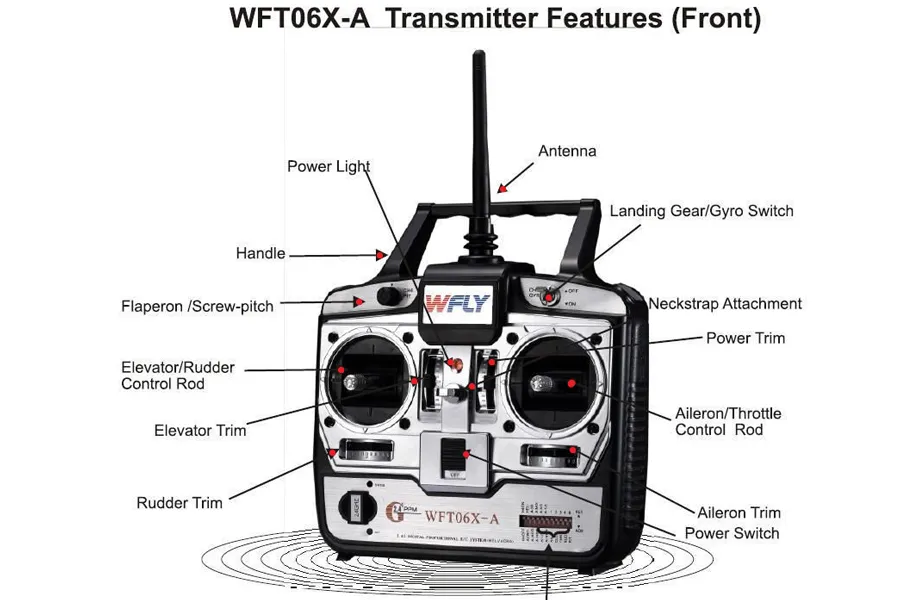
What factors need to be considered when purchasing radio controller
FPV Radio Protocol
An FPV radio protocol is a communication system that encodes, transmits, and decodes control signals between:
- Transmitter (TX) – your remote controller
- Receiver (RX) – installed on your FPV drone
Different protocols use different: Packet rates, Error correction methods, Frequencies, Firmware ecosystems. Your radio protocol decides what receivers you can use — now and in the future.
Modern FPV Protocol Landscape
| Protocol | Strength | Weakness | Best For |
|---|---|---|---|
| ExpressLRS (ELRS) | Low latency, long range, open-source | Requires setup | Most FPV pilots |
| TBS Crossfire | Extreme reliability | Higher cost | Long-range |
| FrSky (ACCST/ACCESS) | Legacy compatibility | Fragmented ecosystem | Existing FrSky users |
| DJI FPV | Plug-and-play | Closed system | DJI drones only |
Frequency
The frequency of FPV remote control can be 2.4GHz or 5.8GHz, both bands have their own advantages and disadvantages. 2.4GHz band has more stable signal and longer flying distance, but it may suffer from interference in urban environment, resulting in unstable signal. 5.8GHz band is suitable for short flying environment, its signal is relatively strong, but the flying distance is shorter.
Number of channels
The number of channels of FPV remote control affects your ability to control the aircraft and the number of devices. At least 4 channels are needed to control the basic movements of the quadcopter. If you need more functions, such as GPS, altitude hold, etc., more channels are needed. When choosing a remote control, you need to determine the number of channels according to your needs to ensure that you can meet your control needs.
Quality and feel
The remote control should have good quality and feel to ensure comfort and reliability when using it for a long time. Some high-end remotes are made of metal and high-quality components to make them more durable and stable. In addition, the weight and balance of the remote control is also very important as it directly affects your hand fatigue during flight and your ability to control the craft accurately.
Programmability
Some high-end remotes can be programmed via computer for more refined control and configuration. For example, you can set specific buttons or sliders to control specific functions of the craft, or adjust parameters such as the responsiveness of the remote control. These customization features allow you to better adapt to your flying machine and personal habits, and improve your control accuracy.
Brand and Compatibility
Choosing a well-known brand of remote control can ensure quality and after-sales service. It is also necessary to consider the compatibility with your flying machine or receiver. Some brands of remote controls are only suitable for specific models of flying machines or receivers, so you need to read the manual and specification sheet carefully when you purchase. If you are going to assemble your own flying machine, then you need to make sure that the remote control is compatible with your flying machine and other equipment.
FPV Remote Control Protocols Explained (ELRS vs Crossfire vs FrSky)
| Feature | ELRS | Crossfire | FrSky |
|---|---|---|---|
| Beginner friendly | ⭐⭐⭐⭐☆ | ⭐⭐ | ⭐ |
| Receiver price | Low | High | Medium |
| Range potential | High | Very High | Medium |
| Latency | Very Low | Low | Medium |
| Community support | Massive | Strong | Declining |
| Future-proof | Yes | Yes | No |
| Best use case | All-round | Long-range | Legacy builds |
ExpressLRS (ELRS) – The Modern Default
Who it’s for: Beginners, freestyle pilots, racers, and even long-range pilots
What ELRS Is Good At
- Low latency you can feel: Stick response feels immediate, especially in fast direction changes.
- Excellent range without special setup: Even default settings are enough for most freestyle and cinematic flying.
- Cheap, widely available receivers: Small builds, toothpicks, 5-inch quads — there’s always an option.
- One protocol for everything: Racing today, freestyle tomorrow, long-range later — no system change needed.
Downsides
- Initial setup can feel confusing for absolute beginners
- Requires basic firmware understanding (once, not every time)
Real-World Verdict
If you want one radio that works for almost everything, ELRS is the safest and smartest choice. This is why ELRS has become the dominant FPV control protocol worldwide.
TBS Crossfire – Purpose-Built Long Range
Who it’s for: Pilots who already know they need long-range reliability
What Crossfire Does Best
- Extremely reliable link: Designed to hold control in weak signal conditions.
- Excellent penetration: Performs well behind trees, terrain, and obstacles.
- Proven, conservative system: Less experimental, fewer surprises.
Trade-Offs You Should Know
- Receivers are expensive
- Limited receiver choices
- Overkill for freestyle or racing
- Slower innovation compared to ELRS
Real-World Verdict
Crossfire is excellent — but only if long-range flying is your primary focus. If you’re not flying kilometers away, you probably don’t need it.
FrSky (ACCST / ACCESS) – Legacy Ecosystem
Who it’s for: Pilots maintaining older FPV gear
What FrSky Used to Do Well
- Early FPV adoption
- Large historical user base
- Many older radios are still in circulation
Why It’s No Longer Beginner-Friendly
- Multiple incompatible versions
- Confusing receiver compatibility
- Declining community support
- Fewer modern tutorials
Real-World Verdict
FrSky is not “bad”, but it is not a good starting point today. New pilots should avoid legacy ecosystems unless they already own compatible receivers.
Which One Should You Choose?
Choose ELRS if:
- This is your first FPV radio
- You want flexibility for future builds
- You care about cost and availability
- You want easy help when things go wrong
Choose Crossfire if:
- Long-range is your main goal
- You accept higher receiver cost
- You value conservative reliability
Choose FrSky only if:
- You already own FrSky receivers
- You are maintaining older builds
The Beginner-Safe Conclusion
If you are unsure, the answer is simple: Choose ELRS.
It minimizes regret, maximizes compatibility, and gives you the best learning curve in modern FPV.
How to choose the radio controller?
Beginner Recommendation: LiteRadio 2 (Simulator & First Steps)
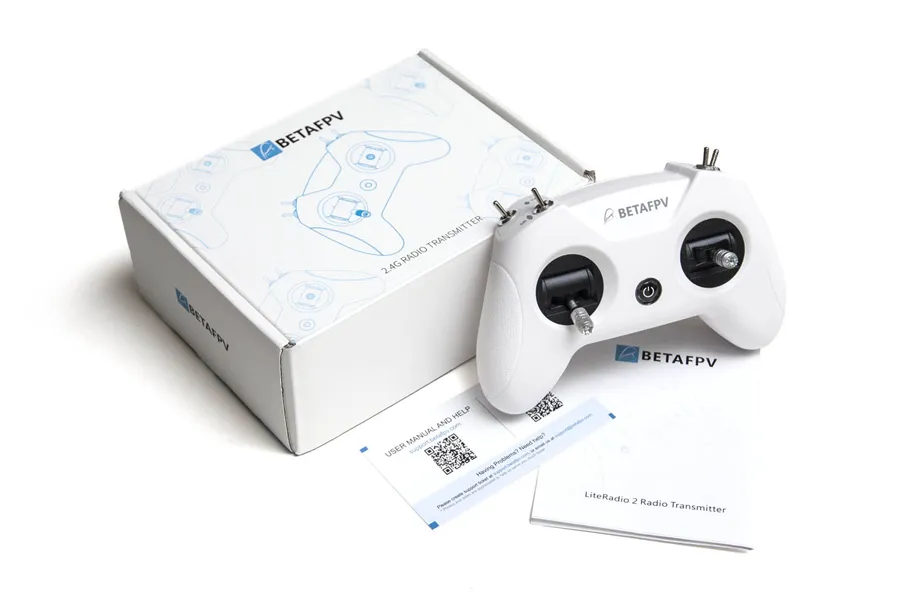
If you want to have the same control experience as the real one in the simulation practice stage, you can get the mini control. The price of this type of remote control is generally within three hundred dollars, the size is small and easy to carry and store, the disadvantage is that the workmanship is poor, and there is no screen display, the pairing process is very complicated.
Entry-Level to Intermediate: Jumper T-Lite V2 ELRS Radio Controller
In addition to being compatible with OpenTX, the Jumper T-Lite V2 ELRS Radio Controller comes with EdgeTX. The specifications state that the built-in ExpressLRS module can produce up to 150 mW.
The output power of only 100mW makes it more appropriate for micro drones with short to medium flight ranges; maybe, 150mW will be offered in the future. You can purchase a higher power external module to attach to the back and power it with an extra battery if you want to go long range.
Medium recommendation: Radiomaster TX12
If the budget is above five hundred you can consider getting a portable full-featured remote control, the construction and function of this type of remote control is basically the same as the professional control. In recent years, a number of manufacturers are actively iterating and upgrading. Such remotes are very suitable for entry or advancement.
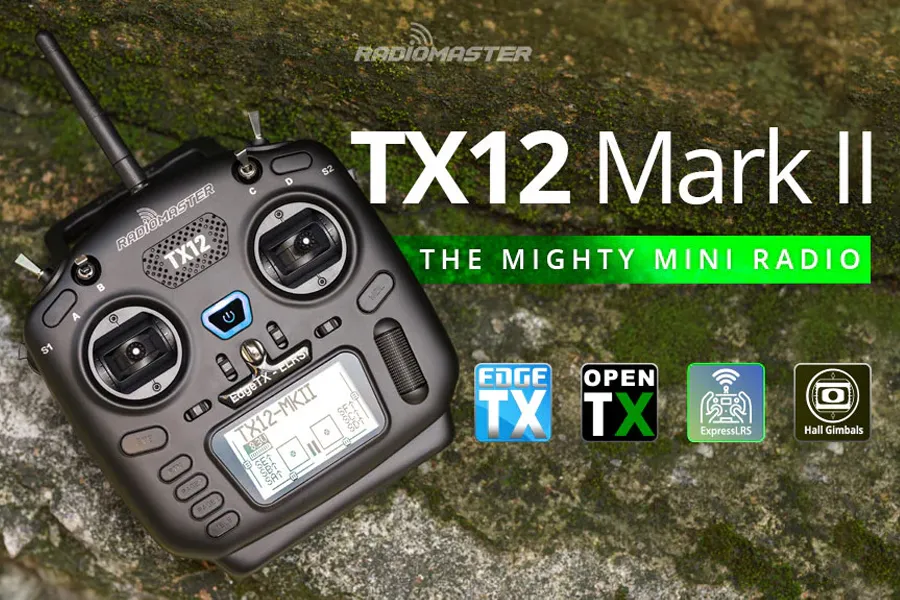
pilots with sufficient budget or long-term planning can directly choose expert remote control in one step. There are more models and types of expert remotes, and flyers have their own preferences.
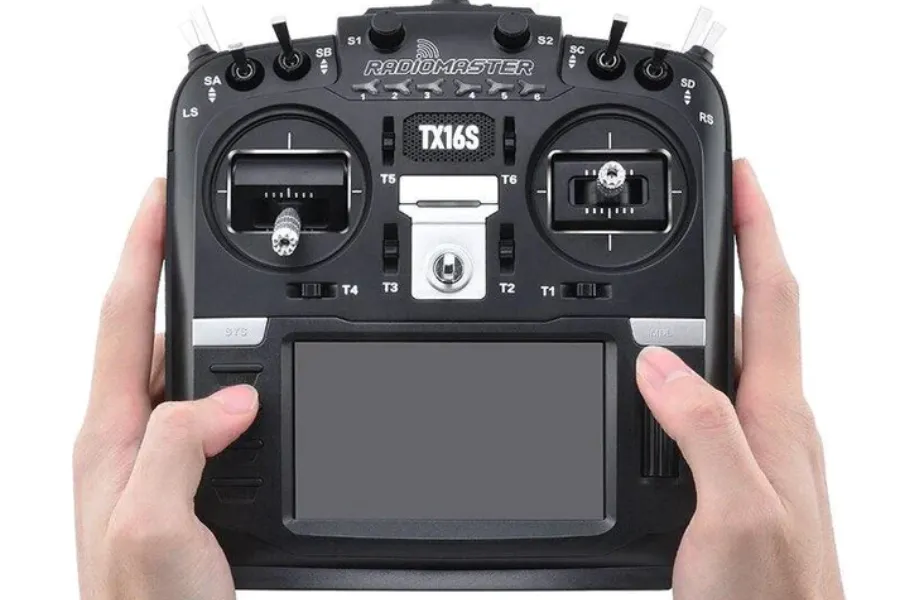
Advanced / One-Step Upgrade: RadioMaster TX16S MKII Radio Controller
RadioMaster TX16S MKII Radio Controller is a multi-protocol radio controller that is popular among hobbyists and professionals alike. It is known for its versatility, affordability, and ease of use.
Features:
- Multi-protocol support: The TX16S MKII supports a wide range of radio protocols, including FrSky, Spektrum, and DSMX. This makes it compatible with a wide variety of drones and other radio-controlled models.
- OpenTX firmware: The TX16S MKII runs on OpenTX firmware, which is a free and open-source operating system for radio controllers. OpenTX is highly customizable and offers a wide range of features, including telemetry, voice alerts, and scripting.
- 4.3-inch color display: The TX16S MKII has a 4.3-inch color display that makes it easy to see and navigate the menus. The display also provides real-time telemetry data, such as battery voltage and signal strength.
- Hall effect sensors: The TX16S MKII uses hall effect sensors for the gimbals. Hall effect sensors are more precise and durable than potentiometers, which are used in many other radio controllers.
Pros:
- Versatile and compatible with a wide range of radio protocols
- OpenTX firmware is highly customizable and offers a wide range of features
- 4.3-inch color display makes it easy to see and navigate the menus
- Hall effect sensors are more precise and durable than potentiometers
Cons:
- Can be complex to set up and use
- OpenTX firmware can be overwhelming for beginners
- Not as compact as some other radio controllers
Overall:
The RadioMaster TX16S MKII is a great radio controller for hobbyists and professionals who want a versatile and affordable option. It is easy to use and offers a wide range of features. However, it can be complex to set up and use, and the OpenTX firmware can be overwhelming for beginners.
Channel of the radio controller
A channel is simply one control signal sent from your radio to the drone. Every movement you make on the radio — sticks, switches, knobs — uses a channel.
Each of the remote’s joysticks can be swung up, down, left and right, with two joysticks for a total of four channels.
These four channels are mandatory — without them, the drone cannot fly.
| Channel | Function | What It Controls |
|---|---|---|
| Throttle | Up / Down (Left stick) | Increases or decreases motor speed |
| Yaw | Left / Right (Left stick) | Rotates the drone left or right |
| Pitch | Up / Down (Right stick) | Tilts the drone forward or backward |
| Roll | Left / Right (Right stick) | Tilts the drone left or right |
In addition to the sticks, FPV radios have toggle switches, buttons, and knobs. Each switch or button counts as one additional channel.
Two-Position vs Three-Position Switches:
- Two-position switch
- On / Off
- Common for arming
- Three-position switch
- Mode 1 / Mode 2 / Mode 3
- Common for flight modes
Even if a switch has multiple positions, it still uses only one channel.
During the actual flight, we also have to bind the various channels of the remote control to the aircraft. Taking the most common American hand as an example, the binding mechanism of each channel of the remote control is as follows:
| Throttle | Yaw |
|---|---|
 |  |
| Increase all rotor speeds | turn left and right |
| Pitch) | Roll |
|---|---|
 |  |
| swing back and forth | swing left and right |
How Many Channels Does a Beginner Really Need?
For most FPV pilots:
- 4 channels → basic flight (sticks)
- 2–4 extra channels → switches
Total recommended: 8–12 channels
This gives you enough flexibility without unnecessary complexity. More channels don’t make you a better pilot — but too few channels will limit you quickly. Choose a radio with at least 8 channels, even if you don’t use them all on day one.
Knobs and Buttons (Do You Need Them?)
Some radios include:
- Rotary knobs
- Momentary buttons
These also count as channels, but:
- Rarely used in freestyle or racing
- More common in fixed-wing or cinematic setups
Beginners do not need to worry about these.
Channel Mapping (Mode 2 / “American Style”)
Most FPV pilots use Mode 2, sometimes called “American style” control. Mode 2 Channel Layout:
| Stick | Movement | Function |
|---|---|---|
| Left Stick | Up / Down | Throttle |
| Left Stick | Left / Right | Yaw |
| Right Stick | Up / Down | Pitch |
| Right Stick | Left / Right | Roll |
This is:
- The global FPV standard
- The default in most simulators
- What most tutorials assume
New pilots should always start with Mode 2.
How to Bind a Radio to a Receiver (Beginner-Friendly Guide)
Binding is the process that allows your radio transmitter and receiver to recognize and communicate with each other.
If you follow the steps in order, binding is simple. Most problems happen because one step is skipped.
Step 1: Confirm the Protocol
Before doing anything else: Make sure the radio protocol matches the receiver
- ELRS radio → ELRS receiver
- Crossfire radio → Crossfire receiver
Different protocols cannot bind to each other.
Step 2: Power the Receiver Correctly
- Install the receiver on the drone
- Power it via:
- USB (if supported), or
- Flight controller + battery
Many receivers will not enter bind mode without stable power.
Step 3: Put the Receiver Into Bind Mode
Common methods:
- Press and hold the bind button while powering on
- Power-cycle the drone several times (ELRS auto-bind)
Look for:
- Fast blinking LED (bind mode)
- Solid LED (bound)
Step 4: Put the Radio Into Bind Mode
- Open the Model settings
- Select the correct RF protocol
- Enable Bind
Keep the radio close to the receiver during binding.
Step 5: Confirm Successful Binding
Binding is successful when:
- Receiver LED becomes solid
- Radio shows telemetry or signal feedback
After binding:
- Remove propellers
- Test stick inputs in Betaflight
Common Binding Problems (Quick Fixes)
| Problem | Likely Cause |
|---|---|
| Won’t bind | Protocol mismatch |
| Binds but no control | Channel mapping incorrect |
| Disconnects | Firmware mismatch |
| No LED change | Receiver not powered |
Radio controller connection and configuration instructions
Note: For remote control with detachable antenna, you need to install the antenna before starting the remote control, otherwise it may cause the transmitter module to burn up!
Long press the remote control power-on button to start the remote control. For safety reasons, if the left throttle or toggle switch is not zeroed during power on, the power on process will be paused and wait for zeroing before you can start the system. The remote control’s error prompts are as follows:
- Throttle not zeroed (Throttle Warning):Bring the throttle rocker to the bottom.
- Switch Warning:Try to toggle each rocker in turn until the error message disappears.
Wired connection
All mainstream remote controls on the market come with USB ports, which can be directly connected to the computer via MicroUSB cable or Type-C cable after booting. Some remotes will have 2~3 USB ports, which are used for charging, emulator handle or built-in file transfer, etc. You need to pay attention to the distinction before wiring.
FAQ:
- Q: The remote control cannot be recognized:
- A: Check whether the indicator light of the remote control is on, and troubleshoot the contact between the USB port and the cable. Check whether the USB port only supports charging function.
- Q:The remote control can be recognized, but the joystick signal cannot be read:
- A: This is a common problem caused by the driver. the driver version in Window10 system is too high and needs to be downgraded to be compatible with the joystick.
The driver downgrade method is as follows:
- Turn on the remote control and connect to the computer using the USB cable
- Open Device Manager
- Select libusb-win32 devices
- Right-click on BETTER_USB_HS
- Select Let me select from the list of available drivers on the computer
- Select HID-COMPLIANT GAME CONTROLLER