
Buying Guide: FLYSKY FS-SM001 FPV Simulator Controller
If you are new to FPV, practicing in a simulator is one of the easiest ways to build stick control before putting a real drone in the air. The FLYSKY FS-SM001 is designed specifically for this purpose: it connects to a computer through USB and provides a physical radio-style control layout for simulator training.
Unlike a normal FPV radio transmitter, the FS-SM001 does not send a radio signal to a real drone. It is a simulator-only controller, so it is best viewed as a dedicated training tool rather than a radio you will later use for flying.
Who Is the FS-SM001 For?
The FS-SM001 is mainly aimed at beginners who want to learn the basic control movements of an FPV drone before investing in a complete radio system and real aircraft.
It is a good fit for:
● First-time FPV pilots learning stick control
● Pilots who want to practice before flying a real drone
● RC users who also want to practice fixed-wing or helicopter simulation
● Users looking for a simple USB simulator controller without batteries or wireless setup
Why Use a Dedicated Simulator Controller?
Flying an FPV drone requires coordinated stick movements that can take time to learn. A simulator lets you practice these movements without the cost and risk of crashing a real aircraft.
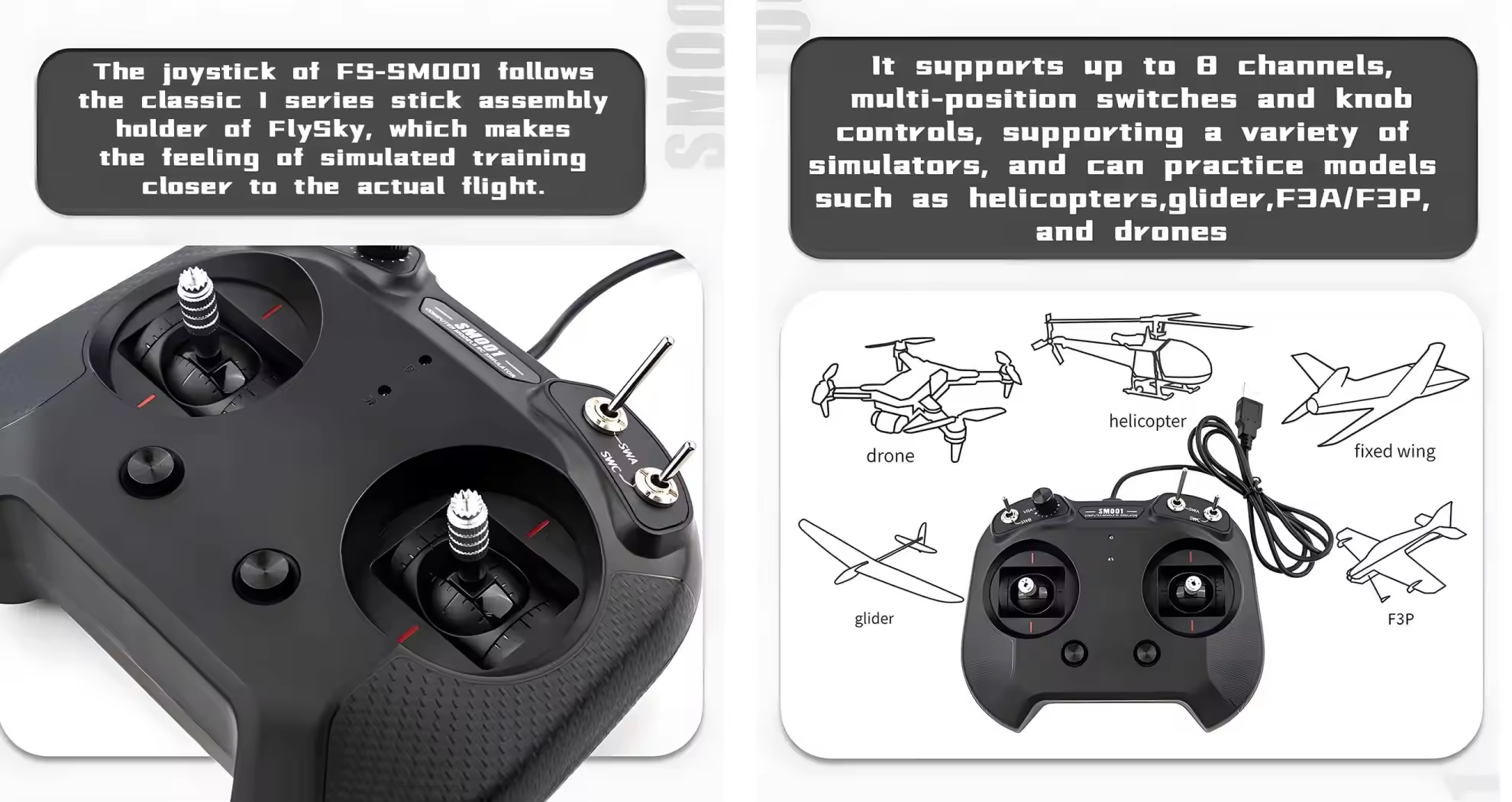
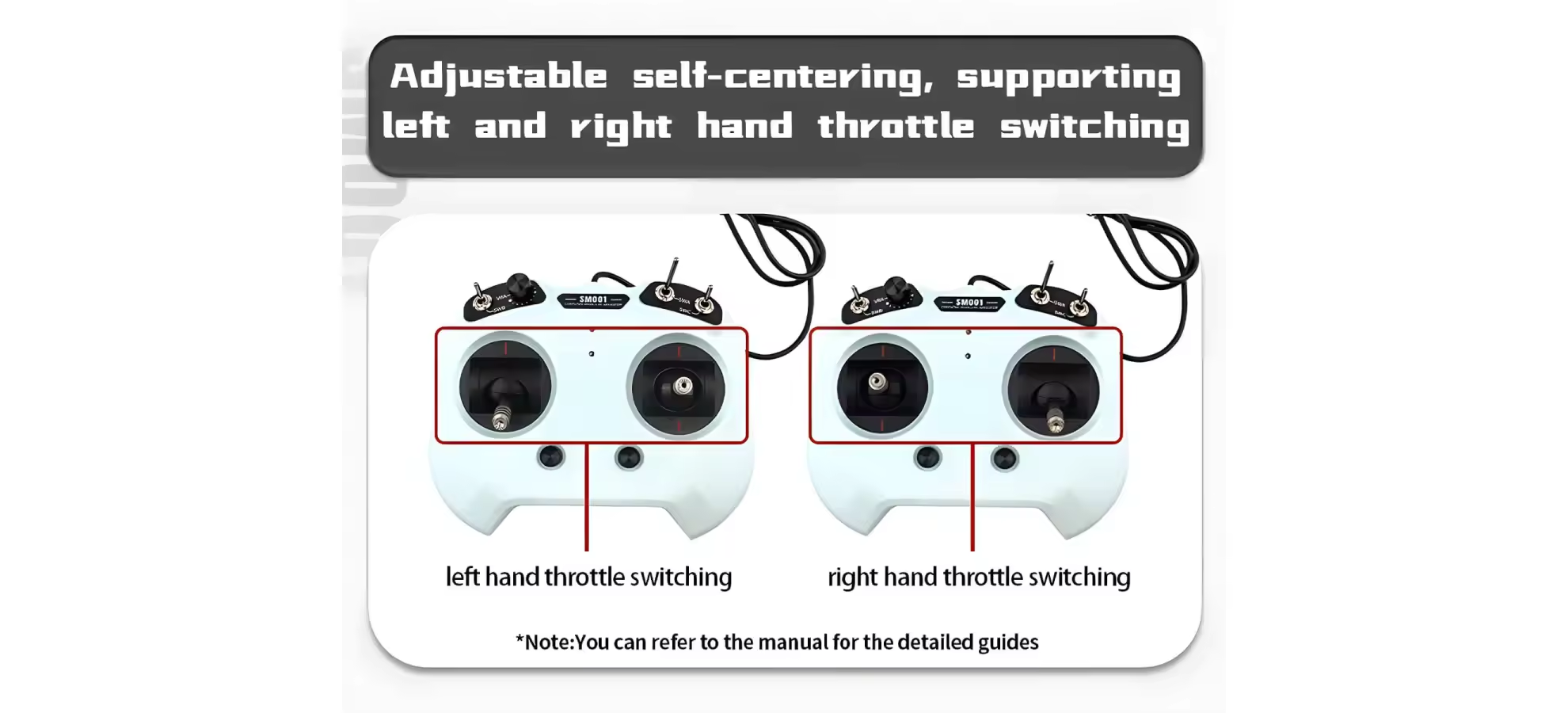
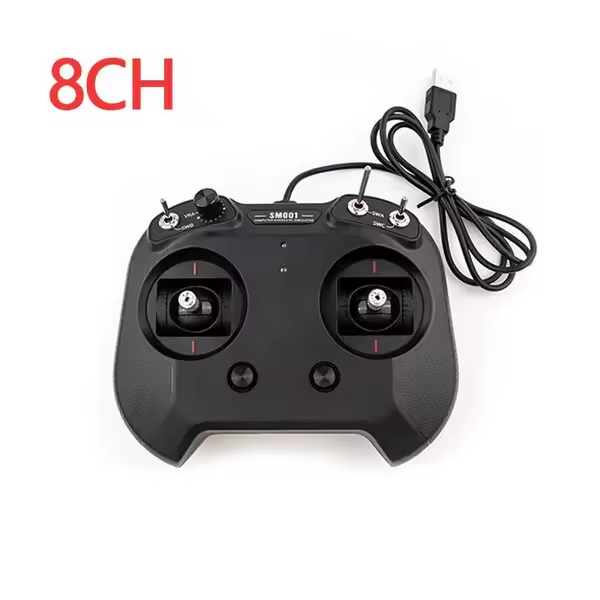
The FS-SM001 uses a traditional radio-style layout with two adjustable self-centering gimbals, switches, trim controls, and a knob. This gives beginners a physical control interface that is closer to an RC transmitter than using a keyboard or game controller.
It is also powered directly through USB, so there is no battery to charge before starting a simulator session.
Which Simulators Can You Use?
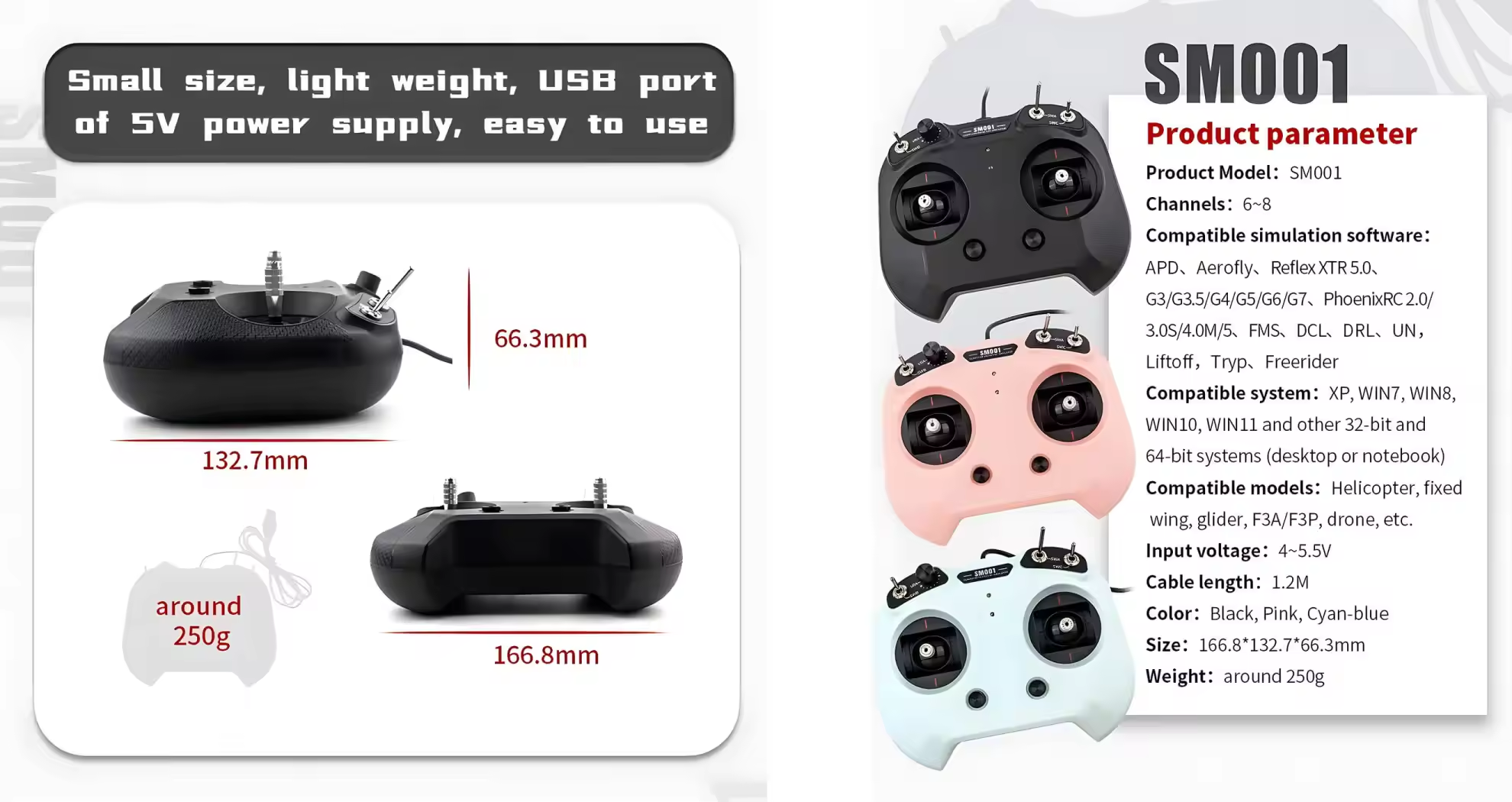
The FS-SM001 supports a wide range of RC and FPV simulator software. Listed compatible software includes Liftoff, DRL, DCL, Freerider, APD, Aerofly, FMS, PhoenixRC, Reflex XTR and other simulator platforms.
It supports Windows XP, Windows 7, Windows 8, Windows 10, Windows 11 and other 32-bit or 64-bit computer systems listed by the manufacturer.
For a beginner mainly interested in FPV, Liftoff, DRL, DCL and Freerider are among the listed options.
6CH or 8CH: Which Version Should You Choose?
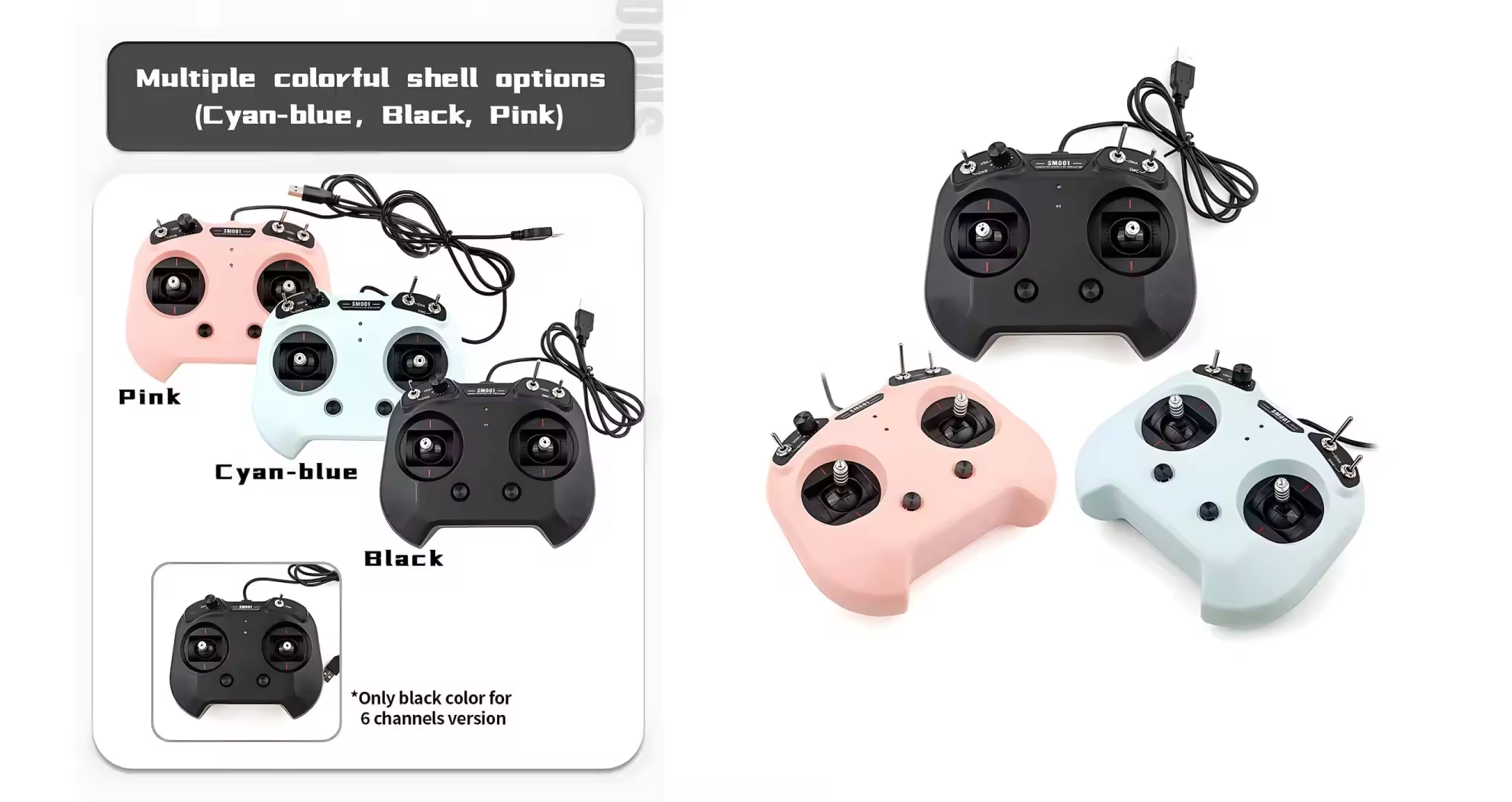
The FS-SM001 is available in both 6-channel and 8-channel versions. For basic FPV simulator training, you do not normally need a large number of channels because the essential drone controls are handled through the main gimbals.
The 8-channel version adds two additional switches, making it more useful if you also want to simulate models that use more auxiliary controls.
Choose 6CH: if your main goal is straightforward FPV simulator practice.
Choose 8CH: if you want additional switches and broader control options for different RC model simulations.
FS-SM001 vs BETAFPV LiteRadio 2 SIM
The BETAFPV LiteRadio 2 SIM is one of the closest alternatives to the FS-SM001 because both are dedicated simulator controllers rather than real radio transmitters. The better choice depends mainly on the type of simulator experience you want.
| Feature | FLYSKY FS-SM001 |
BETAFPV LiteRadio 2 SIM |
|---|
| Main Purpose | Simulator training | Simulator training |
| Channels | 6CH / 8CH | 8CH |
| Connection | USB | USB-C |
| Power | USB 5V | USB |
| Weight | About 250g | About 150g |
| Simulator Modes | Standard USB simulator controller | Joystick / Xbox / Dongle |
| Controls | Gimbals, switches, trim, knob | FPV-style gimbals |
| Throttle Setup | Left / Right throttle switching | Mode 1 / Mode 2 options |
| Best For | Beginners and multi-model RC simulation | FPV-focused simulator training |
Which Simulator Controller Should You Choose?
Choose the FS-SM001 if: you want a traditional RC-style controller with multiple switches and knob controls, need 6CH or 8CH options, or plan to practice different types of RC models in addition to FPV drones.
Choose the LiteRadio 2 SIM if: your main goal is FPV simulator training and you prefer a lighter controller with USB-C and multiple simulator connection modes.
For FPV beginners, the difference is mainly about the control style rather than raw channel count. If you want a more traditional RC transmitter layout, the FS-SM001 is the more natural choice. If you want a lightweight controller designed around FPV simulator use, the LiteRadio 2 SIM is a strong alternative.
What the FS-SM001 Cannot Do
The FS-SM001 is a simulator controller only. It does not contain a radio transmitter for controlling a real FPV drone, so it should not be purchased as a replacement for an ELRS, Crossfire, or other real FPV radio controller.
If your goal is to practice now and later use the same radio to fly a real drone, choose a real FPV transmitter instead. If your priority is simply affordable simulator training, the FS-SM001 keeps the setup straightforward.